 PipaQinse233 Post #457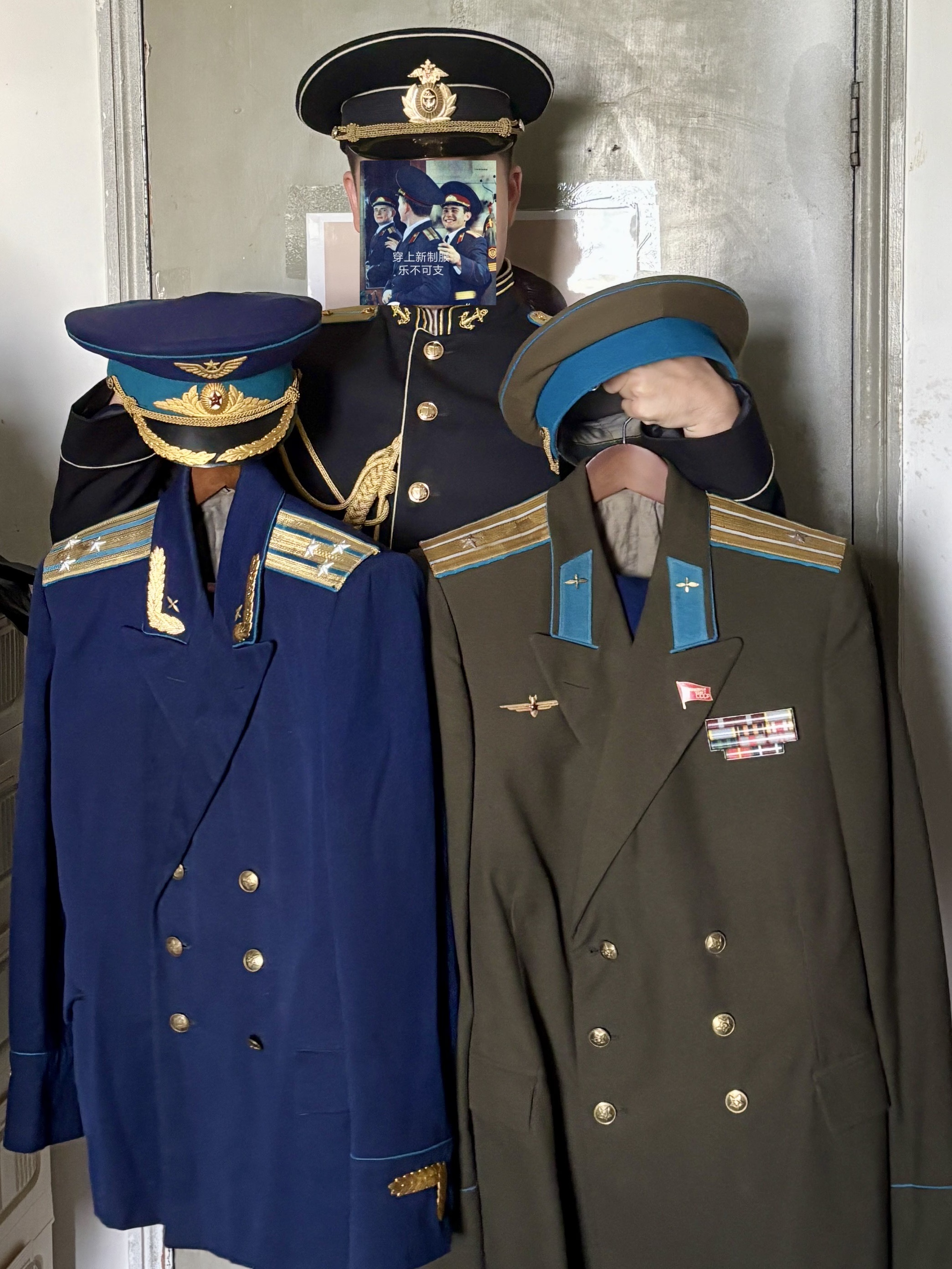
穿上新制服,乐不可支但其实胖了,暂时还没穿上不过差不多一年了,可算集齐一套了
 无状态垃圾桶 Post #39
Maple syrup 居然都见底了 🇨🇦🇨🇦🇨🇦
- 无状态垃圾桶 Post #225

 ascah Post #230
尼古猫有点意思,有种 family guy 的感觉
- 无状态垃圾桶 Post #213

 羽流弦ノ迹 Post #7
 TwlnfuSprig Post #282
做了个超级奇怪的梦,乘着没忘完先记录下
前面的部分有点忘了,总之自己近乎是落魄该溜子找了个楼道地下室暂住,背了个很大的包装了衣服和一些吃的,还背了个小包充面子找工作
跑到一个大楼里等面试,发现自己误闯了天家,好像是在面某个 ai 厂,自己等待的时候连别人在讲什么都听不懂,最后抱着反正不会脏面评的心态从后门直接溜了
只记得里面很高科技然后突然发现这里正好离 homie 工作/学习 (?) 的地方很近,于是微信上喊了 homie 出来陪我玩一天
homie 公司 (反正是个 n 合 1 楼) 楼下对面就是个大商场,自己跑到商场一楼等了会突然发现梅川酷子,急忙跑回租的地下室从包里把裤子拿出来穿上,顺便本着下雨的心态抽了吧伞出来正好在梦里第一次见完地下室,床大概够 1 人半挤、屋子大概两个人高 (3m 多?)、推门就是床、没有窗户、墙漆掉了很大一块还坑坑洼洼的、刚进门很冷 (梦里貌似是秋天)、疑似是左边楼道渗进来的冷风,不过往里面走就凉快了、床上用品配了一套床单被子和两个枕头,不过都发霉超级严重了 (不过梦里就很嫌弃没睡上面了)、最后只有两把凳子,一把已经放了我的全部家当的包了,另一把让我坐着休息的
因为拿东西很麻烦所以我直接把门打开,然后把凳子拖过来在门口操作了,后面来了一群精神小伙,对着我说“没想到地下室这么潮湿还有人租啊”(不过梦里好像只有冷和热),还嘲讽了下地下室门锁坏了记得把东西都拿走
我想了想好像家当包里只有衣服,没啥事,但走之前还是从口袋里找到钥匙反锁了下homie 已经早到了,自己连忙往那边赶,路上遇到了几个用卡片吸食肉皮成瘾的人 (?),不过马上就有叔叔过来处理了
homie 有点不耐烦说怎么逛,自己只能打哈哈说你带着呗,然后想到平常聊天 homie 都说直接楼下解决了,没想到是这个意思
后面逛啊逛啊,突然自己手里不知道什么时候拿到了 homie 的身份证一类的证件,然后跑去上厕所让 homie 在外面等,结果出来的时候发现 homie 不见了,自己手机和微信都被删了还,电话也打不通
自己最后只能打 tg 电话了 (?),点进 homie 的 profile 才发现 homie 也近乎删干净了,还在简介放了个私人 channel,只不过单纯是链接不是审核channel 里面是他在商场里拍的照片,名字叫吃饭之类的,自己从照片里得到的信息就是自己手上拿到的 homie 证件不知道什么时候又回去了,多半是 homie 发现自己拿到他证件了所以暴怒删了
homie 接通电话很不耐烦,说我们已经没啥好说的了,我低声下气求了好久才说能见最后一面,最后跑到一个天台旁边见面了见面 homie 就亮了下手机屏幕给我然后很快收回去了,说这就是我们这么多年的情谊,现在我决定断掉了、自己只看到好像是这么多年来双方的付出量化成钱的占比,我那边只有个 -1000 多,homie 那边列了好长一列的有加有减,大概意思是自己基本只索取没咋付出过
接着进回忆杀了,po 和 homie 小时候骑摩托车 (?) 去了个墓地打野 (?),然后一转某个 fps 的地图,homie 和我打着打着有个路人加上 homie 打算当固排,我游戏打的太菜被慢慢孤立了,最后就是渐行渐远只有聊天偶尔联系了
回忆杀结束自己好像没啥反驳的,只能和 homie 乱逛吃断头饭 (?),突然想到今天是七夕,于是锤着 homie 胸口哭着说自己以前是怎么当助攻的,每次都是苦口婆心然后 homie 自己退缩或者忽视了
然后插入了一堆闪回和回忆杀,最后和 homie 和解了还是,好友也都加了回来
之后还是在瞎逛,进到了另一个大楼里,遇到了变成云和电的人,后面一转超能力大战了) 很快就醒了
总结(?)
想想都是 po 最近的遇到的事,昨天看了学长建的就业群焦虑了面经和找工的事,homie 明天要组会所以赢了一把就下了,自己的小金库也确实要无了,和一个只能打回忆杀的朋友聊天老是好久不回
不过清醒了之后感觉轻松不少,代价都给梦里的我承受了
- 无状态垃圾桶 Post #71
今天又周四了又有梦限大看了有没有懂的 🤤
- 无状态垃圾桶 Post #50
我特别喜欢的:
- Resurrections
- Awake
- Quiet and Falling
- In the Mirror
- Reach for the Summit
- My Dearest Friends
- 无状态垃圾桶 Post #46
Celeste Original Soundtrack - Lena Raine
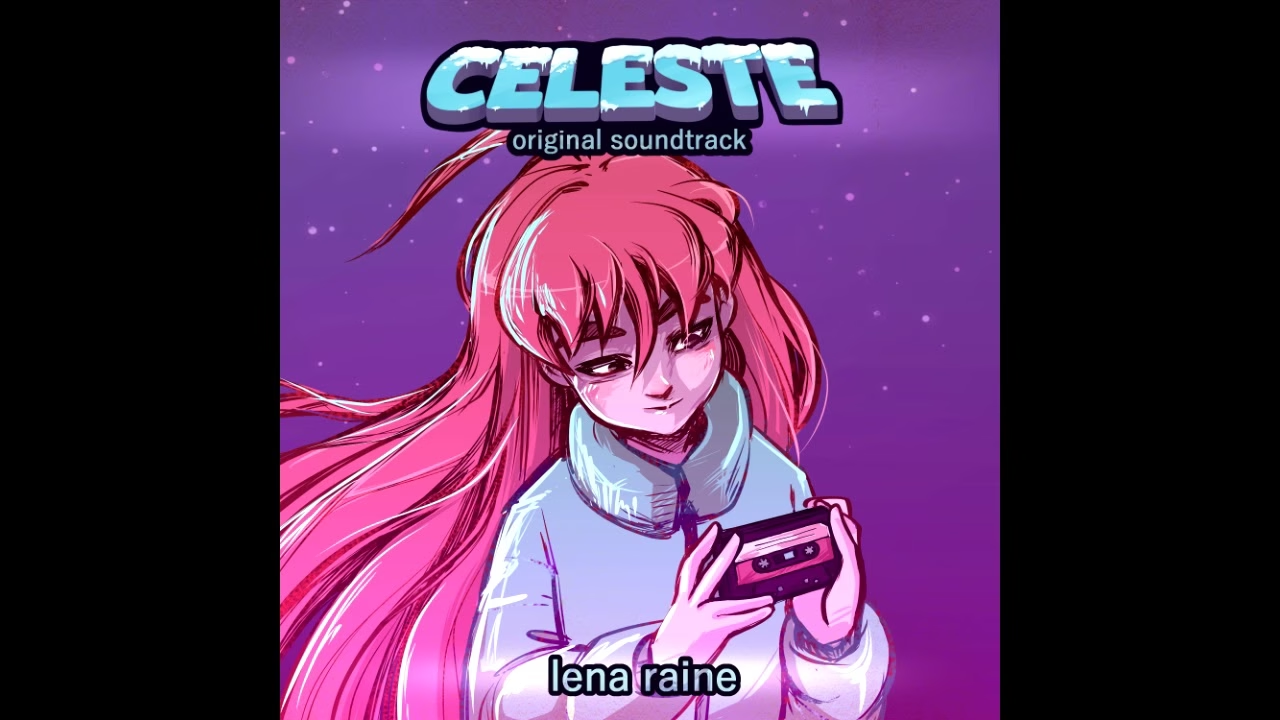
- 无状态垃圾桶 Post #67
吓哭了 😭


 JacKeiner Post #209
分享一点新加坡特色食物(搬运自水源,一些图床没法平移过来,所以是单独复制的)
价位:整体在 1.2-2x 上海物价,在外面吃对应这个倍率的上海商圈物价,在学校吃对应这个倍率的交大食堂价格,小于 1.2x 的时候不多(也就是说跟国内相同单品一个价,个别这边产量大的可能有),翻一番还要多的情况也没咋见过
特色菜:我朋友圈里发了几个
不能说很好吃但绝对不算难吃,不是猎奇取向但足够新奇这几天吃下来比较有特色的:
叉烧/脆皮烧肉/海南鸡[1]/烧鸭——四选一/二——饭/面 🤣
各种小炸物蒸物,类似广东早茶(?)
肉骨茶
奇怪的没有萝卜的萝卜糕,包括炒制和泡汤里多种做法,ref:
各种椰浆椰奶衍生物:
椰浆饭各种虾衍生物:
加奶油蘑菇汤配上当地特色香料叶子的也有,炸虾卷/球也有,制烧麦啥的也有各种咖喱衍生物(不赘)
集以上之大成者:请输入文本
总结
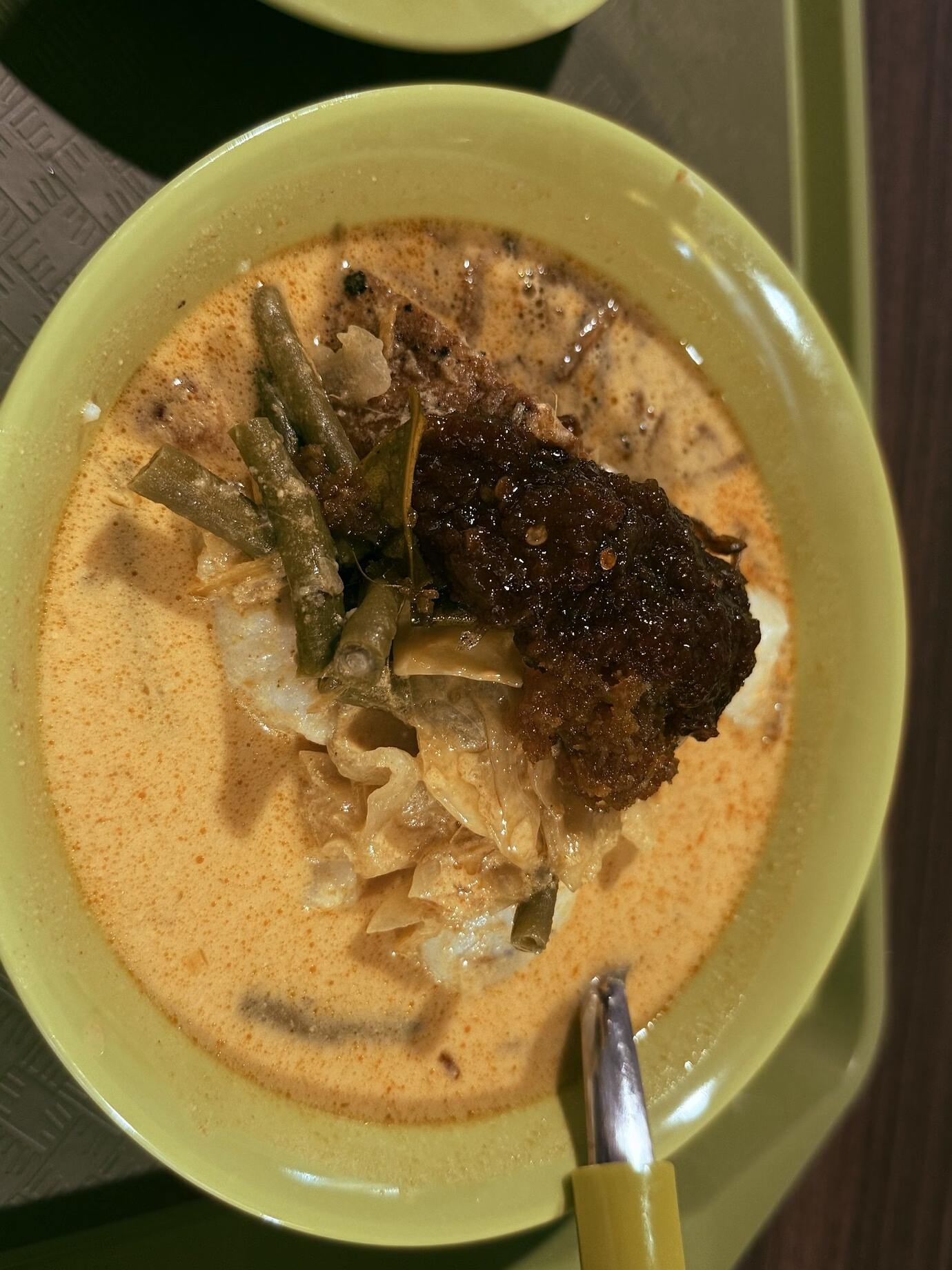
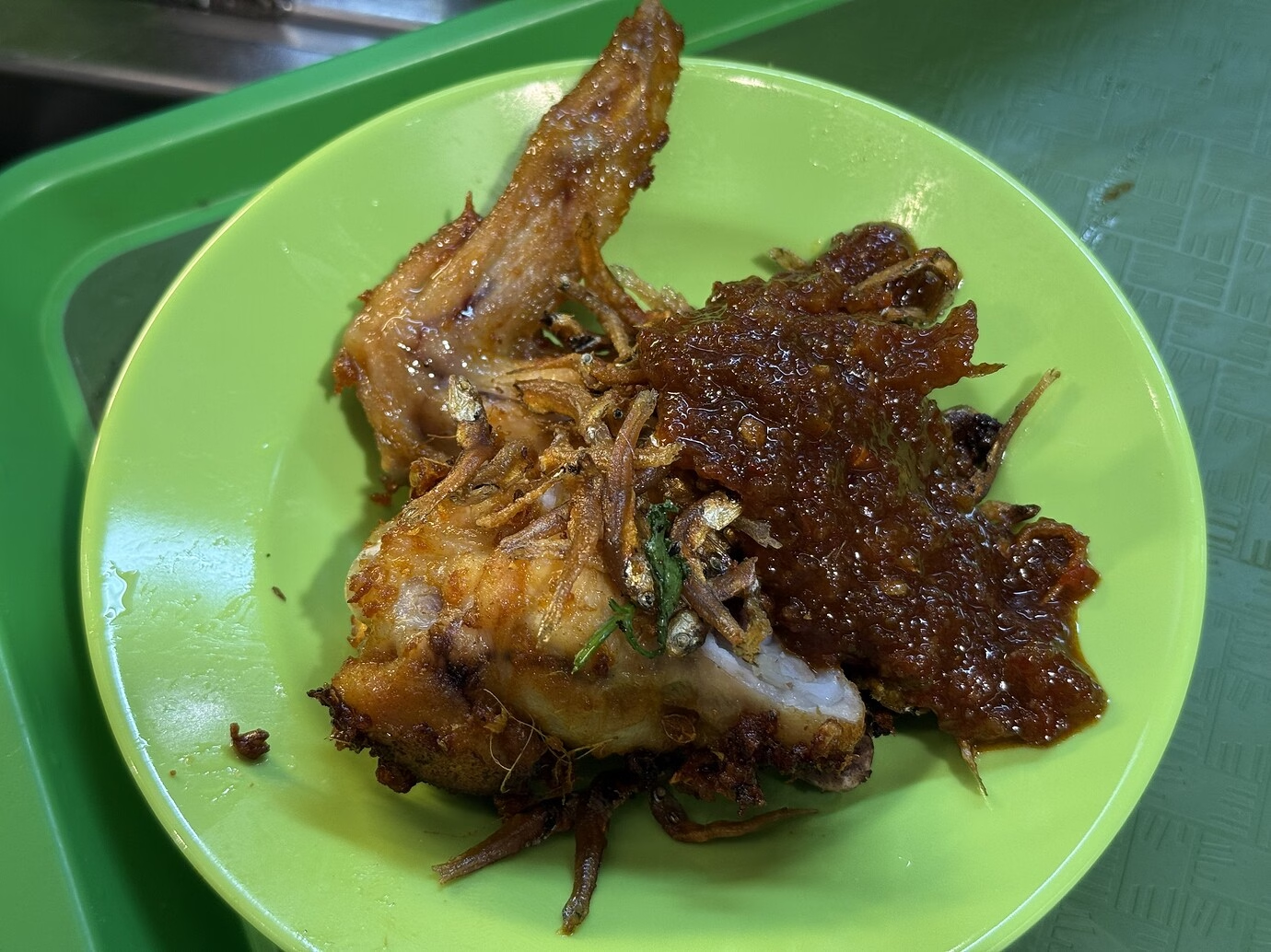
在住处附近食阁要了个 Lontong(椰奶蔬菜咖喱泡米糕 + 酱炸小鱼),又要了对炸鸡翅,4+1.5 新
总结
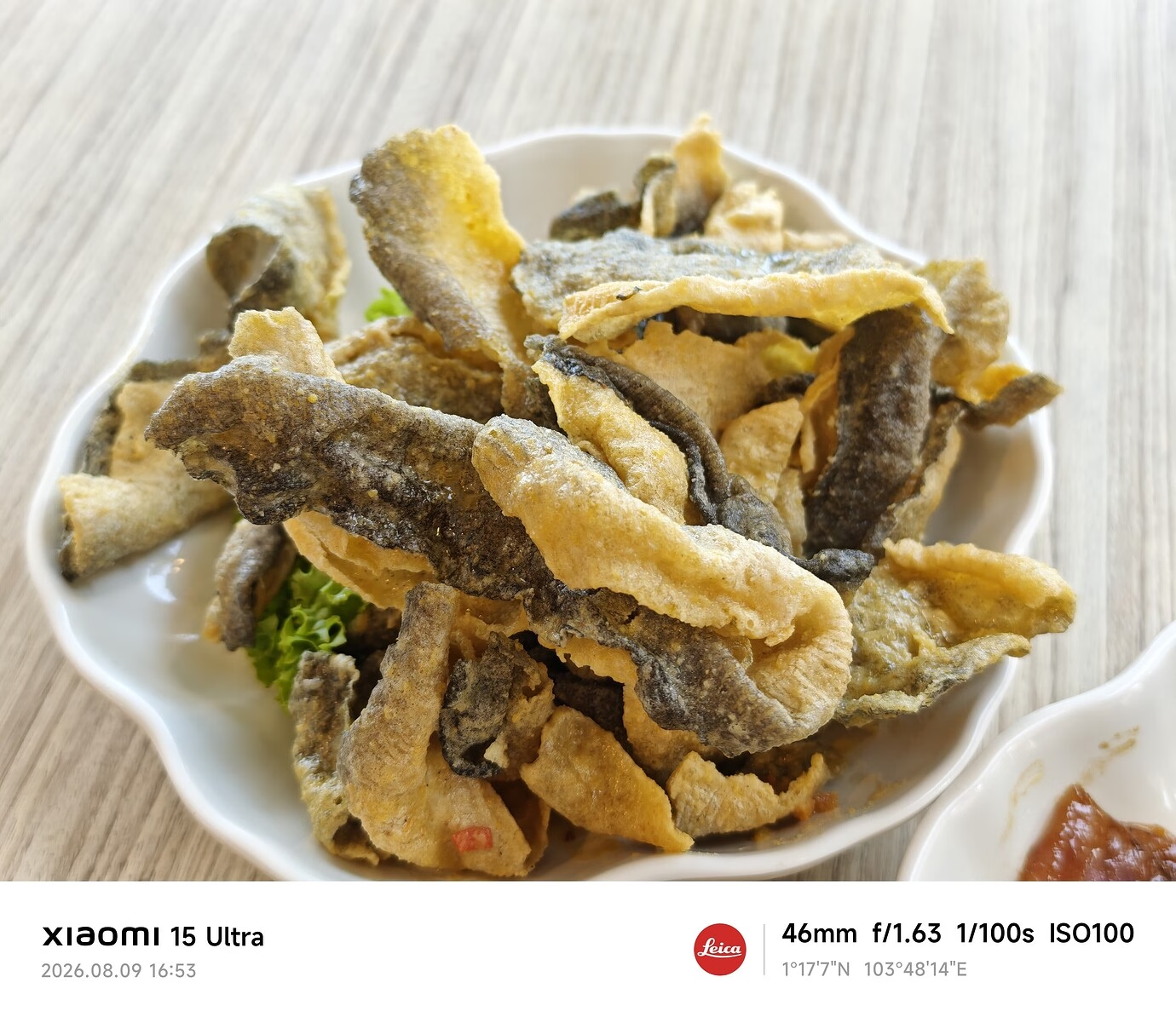
咸蛋黄鱼皮
Summary
(区别于交大四餐一楼和六餐二楼豉油鸡,虽然这里有的地方也有“豉油鸡饭”) ↩︎
- JacKeiner Post #208
晚上好,很久很久很久没有见到鱼鱼了~甚至包括微信与朋友圈
这个可爱宝宝(ok 你销号那会我应该还叫 Jackeiner)最终去了 nus 水一年硕士,未来怎么样,只有天知道(
以及,xjtu discourse 的页面怎么又大改了🫠 在 Singapore 这里上西交门不需要梯子,但是依然很卡,呜
- 无状态垃圾桶 Post #222
康桥绿豆冰沙 😇
-
 我有魔芋爽 Post #301
后排cy
- 我有魔芋爽 Post #72
ok 呀人际关系只是人生的小点心而已,我还是要找点自己的事情做
得到是喜悦,失去是修行
经历的一切没有白费,都会成为经验和教训
好像有点想开了
匿名状态下发的东西好像删不掉的,希望西迁的水源大军别回来看到就好,不然我就彻底社死了Summary
我真的应该从心底接受任何关系的流动。风来疏竹,风过而竹不留声;雁渡寒潭,雁去而潭不留影。只有打心底接受了这些,放下自己的执念,才能自在地活在世界上。
社交中我总是太过认真和执着地经营,把“别人的看法”看得比天还大,和别人互相比较互相较劲。其实这些人都不重要,根本不值得如此在意。他们对我印象好,又如何呢?
说白了就是自己执念太重,想要关系长长久久反而不如顺其自然。拿个友谊地久天长的剧本然后开始表演的自己是很幼稚的。关系又不是财产,断了就断了,又怎么样呢?一位伟人说所有事物都会走向灭亡什么的。关键是不要委屈自己,一直压着自己,让它自然发生。
可能还是要多发展功能性的社交而不是情感性的社交,培养一下自己的 te 思维才是出路。用 fi 社交简直就是自毁。把关系分级,不是每个人都值得印象管理。我应该以成为一名”棋手“为目标而不是入戏的”演员“。
云五的故事适合收藏但不适合表演,既然回忆已在我心中,而其余四人并没有那么在意,我也不必较真了。毕竟这世界那么多人。还有就是血的教训:只筛选不改变。还是要有更多的手段。
- TwlnfuSprig Post #275
周末好快结束,又要永无止境的工作日了
今天看到说说里有个以前的同学发了一条感谢最近关心ta的人的说说,感受到了友谊真善美之类的
莫名有点吃醋,po和这个同学以前的关系也还好,但都没听ta来找po吐槽之类的甚至有点想截图这张说说去质问ta的冲动,不过想想毕业之后和ta的交流基本快是陌生人了
还是要多主动和活人聊天啊最近好小孩啊自己
- IIO Post #1
前言
本站使用的软件也运行了好多天了,目前各种小bug不断,但是好在没有什么致命的问题。
为了帮助用户更好地理解本软件的开发情况,所以写一篇文章,介绍有哪些功能,数据是怎么迁移的。设计理念
简单,好用
侧重点:易用 > 易开发维护 > 拥有各种功能实现的功能
本软件的设计,高度受Discourse启发。但不谋求实现Discourse的全部功能。
Murmur: Modern Discussion Forum
murmuris a high-performance, features-rich, Discourse/NimForum-style discussion forum. It is engineered with a hybrid SSR-First (Server-Side Rendering) architecture, delivering instant page loads and optimal SEO crawlers accessibility, while layering on real-time interactive widgets as progressive client-side enhancements.
🛠️ The Tech Stack
Murmur's architecture is divided into a high-performance web core, a relational database, and a specialized asset caching layer:
- Web Core: SvelteKit 2 utilizing Svelte 5 Runes for robust state management.
- Database & ORM: Drizzle ORM managing SQLite (
better-sqlite3driver) for synchronous operations. - Asset Performance: A custom caching proxy written in Rust using Axum (
uploads-proxy). - Search Subsystem: SQLite FTS5 index combined with the
sqlite-vecextension for vector operations, and@node-rs/jiebaCJK tokenizer. - Real-time Features: Server-Sent Events (SSE) for pub/sub notifications, and Yjs text structures for wiki collaboration.
- Styling: TailwindCSS v4 with Flowbite Svelte.
🏛️ System Architecture Preview
Murmur is designed to maximize speed by avoiding clientside rendering overhead during initial page loads.
graph TD Client[Browser Client] SvelteKit[SvelteKit Node.js Server] SQLite[(SQLite DB / local.db)] Proxy[Rust Uploads-Proxy] Upstream[Upstream Assets Server] LLM[LLM API / Ollama / Gemini / OpenAI / Anthropic] Client -->|1. HTTP Page Request / SSE Stream| SvelteKit Client -->|2. HTTP Uploaded Files| Proxy Proxy -->|3. Cache Miss Fetch| Upstream Proxy -->|4. Save locally| Disk[(Local Uploads)] SvelteKit -->|5. Synchronous DB Queries| SQLite SvelteKit -->|6. Vectors & Generation| LLM- Server-Side Rendering: SvelteKit processes the request, queries the SQLite database synchronously through the repository layer, compiles the page into static HTML, and responds.
- Client Hydration: The browser displays the HTML, downloads the JavaScript bundles, and hydrates components (e.g. Composer, Likes, Chat).
- Live Updates: An SSE connection is established to stream live updates (new posts, edits) to active tabs.
- Asset Offloading: The Rust
uploads-proxyhandles asset queries. If a file is cached locally on disk, it is served; otherwise, the proxy downloads it from the upstream server with retry logic, saves it locally, and serves it.
📚 Documentation Index
Below is the directory map of the Murmur system documentation. Click on any link to view detailed guides:
⚙️ [System Architecture & Scaling](file:///f/murmur/doc/architecture.md)
- Detailed breakdown of the request-response lifecycle and hydration.
- Rust
uploads-proxymicroservice design (thundering herd protection, atomic writes). - Horizontal scaling recommendations (reconciliation, moving from memory SSE to Redis pub/sub, object storage).
Murmur: System Architecture
This document describes the high-level architecture of Murmur, including the frontend framework, backend data flow, integration with external services, and horizontal scaling patterns.
Technical Stack
Murmur is built using a modern, lightweight JavaScript stack, layered with a high-performance Rust microservice:
- Frontend / Meta-framework: SvelteKit 2 using Svelte 5 (Runes mode).
- Styling: TailwindCSS v4 (CSS-first, no
tailwind.config.js) & Flowbite Svelte components. - Database: SQLite (
better-sqlite3driver) wrapped with Drizzle ORM. - Search Vector calculations: SQLite extension
sqlite-vec. - Search tokenization:
@node-rs/jiebafor CJK languages. - Real-Time Communication: Server-Sent Events (SSE).
- Collaboration: Yjs text types synced stateless-ly over HTTP.
- Assets Proxy: Custom Axum-based Rust microservice (
uploads-proxy).
Component Layout & Data Flow
Murmur leverages Server-Side Rendering (SSR) by default to deliver HTML instantly to crawlers and users. Clientside Svelte components progressively hydrate the page to enable real-time messaging, infinite scroll, and rich editing.
graph TD
    Client[Browser Client]
    SvelteKit[SvelteKit Node.js Server]
    SQLite[(SQLite DB / local.db)]
    Proxy[Rust Uploads-Proxy]
    Upstream[Upstream Assets Server]
    LLM[LLM API / Ollama / Gemini / OpenAI / Anthropic]

    Client -->|1. HTTP / SSE| SvelteKit
    Client -->|2. HTTP Static Assets| Proxy
    Proxy -->|3. Fetch cache miss| Upstream
    Proxy -->|4. Save locally| Disk[(Local Uploads)]
    SvelteKit -->|5. Synchronous Queries| SQLite
    SvelteKit -->|6. Vectors & Generation| LLM
1. Request Lifecycle
- The browser requests a page (e.g.,
/t/slug/id). - SvelteKit's routing resolves the path and calls the server-side load function (
+page.server.ts), which queries the database synchronously via the repository layer (src/lib/server/repo.ts). - SvelteKit renders the page as static HTML (SSR-first) and returns it.
- The client browser parses the HTML, displays it immediately, and fetches Svelte bundles to hydrate active widgets (e.g., the composer, emoji picker, likes).
- The client initiates a Server-Sent Events (SSE) connection to listen to live updates.
Node.js & Rust uploads-proxy Integration
User-uploaded attachments and legacy images are cached locally on disk. To prevent heavy Node.js threads from blocking on large file IO operations:
- Node.js Server: Serves core HTML/JS payloads and handles API mutations.
- Rust uploads-proxy: Serves files located under
/uploads/. It listens on127.0.0.1:4119and handles file lookups.- Cache Hit: Serves the local file immediately using high-speed async file streaming via
tokio-util. - Cache Miss: Downloads the asset from the configured upstream server (attempts up to 3 times, with a 2-second sleep duration between attempts), saves it locally, and serves it to the user.
- Thundering Herd Coalesce: Employs a mutex and
tokio::sync::Notifyto block duplicate concurrent requests for the same missing asset, ensuring only one download request hits the upstream server.
- Cache Hit: Serves the local file immediately using high-speed async file streaming via
Real-Time Engine (SSE Pub/Sub)
Murmur uses a single-process in-memory pub/sub pattern implemented in [events.ts](file:///f/murmur/src/lib/server/events.ts):
- Route handlers or repository mutations call
publish(topicId, event). - The Server-Sent Events endpoint [events/+server.ts](file:///f/murmur/src/routes/t/[slug]/[id]/events/+server.ts) subscribes to updates for a specific topic.
- It streams JSON-LD chunk lines to the browser's
EventSourceinstance. - The UI handles the event reactively to append new posts, update counts, or delete posts without page reloads.
Horizontal Scaling Strategy
Because SQLite and the SSE pub/sub system operate within a single process, horizontal scaling (running multiple instances of the Node.js process) requires:
- Database Layer: Replace the local
better-sqlite3instance with a replicated SQLite setup (such as LiteFS) or migrate Drizzle configuration to PostgreSQL. - Pub/Sub Layer: Replace the in-memory singleton in [events.ts](file:///f/murmur/src/lib/server/events.ts) with a Redis or RabbitMQ pub/sub server. Route connections to the pub/sub interface so that messages publish across all Node server processes.
- Uploads caching: Ensure the uploads-proxy instances point to a shared directory (e.g., NFS, GlusterFS) or replace the local filesystem storage with an Object Store (like AWS S3) by modifying the SvelteKit file upload API.
🗄️ [Data Model & Database Schema](file:///f/murmur/doc/data-model.md)
- Relational schema definitions for SQLite.
- Data design conventions (auto-increments, ISO-8601 timestamps, soft-deletions).
- Database tables, relationships, and indices optimization.
Murmur: Data Model & Database Schema
This document details the database schema, SQLite conventions, and tables managed by Drizzle ORM in Murmur. The database schema is located in [schema.ts](file:///f/murmur/src/lib/server/db/schema.ts).
Data Layer Conventions
To simplify imports, backups, and exports from active Discourse installations, Murmur maintains the following database patterns:
- Integer Auto-increment Primary Keys: All tables use auto-increment integers. The system user is seeded with ID
-1(matching Discourse conventions). - ISO-8601 Timestamps: Timestamps are stored as text (e.g.
2026-07-15T22:00:00.000Z) rather than SQLite Unix integers. They default to the current time via$defaultFn(() => new Date().toISOString()). This allows lexicographical sorting and matches Discourse CSV files. - Booleans: Stored as integers (
0or1) using Drizzle'sinteger(..., { mode: 'boolean' }). - Post Rendering: Posts store both the raw Markdown text (
raw) and the cooked sanitized HTML (cooked). Rendering is done via{@html cooked}without dynamic clientside compilation. - Soft Deletions: Deleting topics or posts updates a
deletedAtISO timestamp column instead of deleting database rows.
Database Tables
Below is an overview of the Drizzle tables:
1.
usersRepresents forum members, administrators, and moderators.
id: Integer primary key (Auto-increment).username: Unique username (Text).name: Full display name (Text, nullable).avatarUrl: URL of the user's avatar.email: User email address.githubId: Bound GitHub ID for SSO.admin/moderator: Role toggles (Booleans).trustLevel: Trust system ranking (0to4).silencedUntil: ISO timestamp until which the user is banned from posting.signatureRaw/signatureCooked: Markdown/HTML for post signatures.chatGlobalMuted: Toggle to silence all chat badge notifications (Boolean).
2.
sessions&ssoSyncTicketsAuthentication sessions matching Oslo specifications.
sessions.id: SHA-256 hash of the session token.sessions.userId: Referencesusers.id(on cascade delete).sessions.expiresAt: Expiration timestamp.
3.
categories&categoryGroupsDiscussion categories which support nesting.
categories.id: Integer primary key.categories.slug: Unique URL slug.categories.parentCategoryId: Self-referential FK targeting the parent category.categories.readRestricted: If true, restricts read permissions.categoryGroups: MapscategoryIdtogroupIdand definespermissionType(Read, Create, Reply).
4.
topics&postsForum threads and post items.
topics.userId: Thread creator.topics.bumpedAt: ISO timestamp updated on every reply to drive sorting.topics.closed/topics.pinned: State flags.posts.topicId: Parent thread.posts.postNumber: 1-based sequential position within the topic (OP is1).posts.raw/posts.cooked: Markdown/cooked text.posts.replyToPostNumber: Identifies the post being replied to.posts.wiki: Toggle indicating if the post is editable by non-creators.
5.
postRevisionsHistory of edits made outside the grace period.
postId: Referencesposts.id.userId: Author of the edit.modifications: JSON string of modified properties (e.g.raw,cooked,title).number: Version sequence number.hidden: If true, hides modifications from normal users.
6.
postEmbeddings&topicRecommendationsVector semantic search embeddings and precomputed suggestions.
postEmbeddings.postId: Referencesposts.id.postEmbeddings.embedding: Raw vector float buffer (Float32Array).topicRecommendations.topicId: Referencestopics.id.topicRecommendations.recommendations: JSON string list of recommended topic IDs.
7.
chatChannels,chatChannelMembers&chatMessagesReal-time messaging channels.
chatMessages.channelId: Parent channel.chatMessages.message/chatMessages.cooked: Raw/cooked text.chatChannelMembers.muted: Individual channel muting preference.
Schema DDL & Indices
Drizzle automatically creates indices to optimize query performance and prevent database locks:
posts_topic_number_idxon(posts.topicId, posts.postNumber).topics_category_bumped_idxon(topics.categoryId, topics.bumpedAt).likes_post_user_unqunique index on(likes.postId, likes.userId).topic_recommendationsandpost_embeddingsmap primary keys to their parent components to enable swift joins.
✍️ [Reply Composer, Drafts & Uploads](file:///f/murmur/doc/features/composer.md)
- Composer UI controls (height adjustments, split ratios, fullscreen mode).
- Local storage autosave and server-side syncing database logic.
- Formatting toolbar helpers, emoji picker, and attachments uploads.
- Kate-style whole-line keyboard shortcuts (
Ctrl+X/Ctrl+C).
Composer UI, Attachments & Draft Syncing
This document describes the reply composer UI, clientside formatting shortcuts, the draft autosave engine, and the multi-file attachment pipeline.
Composer Layout & Controls
The composer component [Composer.svelte](file:///f/murmur/src/lib/components/Composer.svelte) is modeled after the Discourse editor. It resides in a sticky drawer at the bottom of the screen.
+-------------------------------------------------------------------+
|  [v] Drag Handle (Height)                                         |
+-------------------------------------------------------------------+
|  Title / Action Summary                      [ ] Full [ _ ] Min  |
+-------------------------------------------------------------------+
|  [ B ] [ I ] [ Link ] [ Quote ] [ Tt v ] [ + v ] [ Undo ] [ Redo ]|
+-------------------------------------------------------------------+
|  Textarea Input (Markdown)         |  Live HTML Preview           |
|                                    |                              |
|                                    |                              |
|                                    |<---> Vertical Split Resizer  |
+-------------------------------------------------------------------+
Resizing Features
- Height Resizing: Users can click and drag the top border handle. The chosen height is written to
localStorage. - Split ratio Resizing: A vertical split bar sits between the editor and preview panels. Dragging it updates the split percentage dynamically.
- Fullscreen mode: Toggles the composer to fill the viewport.
- Minimization drawer: Minimizes the composer into a small, floating status bar at the bottom right.
Rich Formatting Toolbar & Emojis
1. Heading Selector (
Tt)Inserts heading markdown (
#to####) at the cursor selection.2. Actions Selector (
+)- Hide Details: Inserts a folding BBCode detail block:
<details><summary>Summary</summary>


content
设计理念
简单,好用
侧重点:易用 > 易开发维护 > 拥有各种功能实现的功能
本软件的设计,高度受Discourse启发。但不谋求实现Discourse的全部功能。
Murmur: Modern Discussion Forum
murmuris a high-performance, features-rich, Discourse/NimForum-style discussion forum. It is engineered with a hybrid SSR-First (Server-Side Rendering) architecture, delivering instant page loads and optimal SEO crawlers accessibility, while layering on real-time interactive widgets as progressive client-side enhancements.
🛠️ The Tech Stack
Murmur's architecture is divided into a high-performance web core, a relational database, and a specialized asset caching layer:
- Web Core: SvelteKit 2 utilizing Svelte 5 Runes for robust state management.
- Database & ORM: Drizzle ORM managing SQLite (
better-sqlite3driver) for synchronous operations. - Asset Performance: A custom caching proxy written in Rust using Axum (
uploads-proxy). - Search Subsystem: SQLite FTS5 index combined with the
sqlite-vecextension for vector operations, and@node-rs/jiebaCJK tokenizer. - Real-time Features: Server-Sent Events (SSE) for pub/sub notifications, and Yjs text structures for wiki collaboration.
- Styling: TailwindCSS v4 with Flowbite Svelte.
🏛️ System Architecture Preview
Murmur is designed to maximize speed by avoiding clientside rendering overhead during initial page loads.
graph TD Client[Browser Client] SvelteKit[SvelteKit Node.js Server] SQLite[(SQLite DB / local.db)] Proxy[Rust Uploads-Proxy] Upstream[Upstream Assets Server] LLM[LLM API / Ollama / Gemini / OpenAI / Anthropic] Client -->|1. HTTP Page Request / SSE Stream| SvelteKit Client -->|2. HTTP Uploaded Files| Proxy Proxy -->|3. Cache Miss Fetch| Upstream Proxy -->|4. Save locally| Disk[(Local Uploads)] SvelteKit -->|5. Synchronous DB Queries| SQLite SvelteKit -->|6. Vectors & Generation| LLM- Server-Side Rendering: SvelteKit processes the request, queries the SQLite database synchronously through the repository layer, compiles the page into static HTML, and responds.
- Client Hydration: The browser displays the HTML, downloads the JavaScript bundles, and hydrates components (e.g. Composer, Likes, Chat).
- Live Updates: An SSE connection is established to stream live updates (new posts, edits) to active tabs.
- Asset Offloading: The Rust
uploads-proxyhandles asset queries. If a file is cached locally on disk, it is served; otherwise, the proxy downloads it from the upstream server with retry logic, saves it locally, and serves it.
📚 Documentation Index
Below is the directory map of the Murmur system documentation. Click on any link to view detailed guides:
⚙️ [System Architecture & Scaling](file:///f/murmur/doc/architecture.md)
- Detailed breakdown of the request-response lifecycle and hydration.
- Rust
uploads-proxymicroservice design (thundering herd protection, atomic writes). - Horizontal scaling recommendations (reconciliation, moving from memory SSE to Redis pub/sub, object storage).
Murmur: System Architecture
This document describes the high-level architecture of Murmur, including the frontend framework, backend data flow, integration with external services, and horizontal scaling patterns.
Technical Stack
Murmur is built using a modern, lightweight JavaScript stack, layered with a high-performance Rust microservice:
- Frontend / Meta-framework: SvelteKit 2 using Svelte 5 (Runes mode).
- Styling: TailwindCSS v4 (CSS-first, no
tailwind.config.js) & Flowbite Svelte components. - Database: SQLite (
better-sqlite3driver) wrapped with Drizzle ORM. - Search Vector calculations: SQLite extension
sqlite-vec. - Search tokenization:
@node-rs/jiebafor CJK languages. - Real-Time Communication: Server-Sent Events (SSE).
- Collaboration: Yjs text types synced stateless-ly over HTTP.
- Assets Proxy: Custom Axum-based Rust microservice (
uploads-proxy).
Component Layout & Data Flow
Murmur leverages Server-Side Rendering (SSR) by default to deliver HTML instantly to crawlers and users. Clientside Svelte components progressively hydrate the page to enable real-time messaging, infinite scroll, and rich editing.
graph TD
    Client[Browser Client]
    SvelteKit[SvelteKit Node.js Server]
    SQLite[(SQLite DB / local.db)]
    Proxy[Rust Uploads-Proxy]
    Upstream[Upstream Assets Server]
    LLM[LLM API / Ollama / Gemini / OpenAI / Anthropic]

    Client -->|1. HTTP / SSE| SvelteKit
    Client -->|2. HTTP Static Assets| Proxy
    Proxy -->|3. Fetch cache miss| Upstream
    Proxy -->|4. Save locally| Disk[(Local Uploads)]
    SvelteKit -->|5. Synchronous Queries| SQLite
    SvelteKit -->|6. Vectors & Generation| LLM
1. Request Lifecycle
- The browser requests a page (e.g.,
/t/slug/id). - SvelteKit's routing resolves the path and calls the server-side load function (
+page.server.ts), which queries the database synchronously via the repository layer (src/lib/server/repo.ts). - SvelteKit renders the page as static HTML (SSR-first) and returns it.
- The client browser parses the HTML, displays it immediately, and fetches Svelte bundles to hydrate active widgets (e.g., the composer, emoji picker, likes).
- The client initiates a Server-Sent Events (SSE) connection to listen to live updates.
Node.js & Rust uploads-proxy Integration
User-uploaded attachments and legacy images are cached locally on disk. To prevent heavy Node.js threads from blocking on large file IO operations:
- Node.js Server: Serves core HTML/JS payloads and handles API mutations.
- Rust uploads-proxy: Serves files located under
/uploads/. It listens on127.0.0.1:4119and handles file lookups.- Cache Hit: Serves the local file immediately using high-speed async file streaming via
tokio-util. - Cache Miss: Downloads the asset from the configured upstream server (attempts up to 3 times, with a 2-second sleep duration between attempts), saves it locally, and serves it to the user.
- Thundering Herd Coalesce: Employs a mutex and
tokio::sync::Notifyto block duplicate concurrent requests for the same missing asset, ensuring only one download request hits the upstream server.
- Cache Hit: Serves the local file immediately using high-speed async file streaming via
Real-Time Engine (SSE Pub/Sub)
Murmur uses a single-process in-memory pub/sub pattern implemented in [events.ts](file:///f/murmur/src/lib/server/events.ts):
- Route handlers or repository mutations call
publish(topicId, event). - The Server-Sent Events endpoint [events/+server.ts](file:///f/murmur/src/routes/t/[slug]/[id]/events/+server.ts) subscribes to updates for a specific topic.
- It streams JSON-LD chunk lines to the browser's
EventSourceinstance. - The UI handles the event reactively to append new posts, update counts, or delete posts without page reloads.
Horizontal Scaling Strategy
Because SQLite and the SSE pub/sub system operate within a single process, horizontal scaling (running multiple instances of the Node.js process) requires:
- Database Layer: Replace the local
better-sqlite3instance with a replicated SQLite setup (such as LiteFS) or migrate Drizzle configuration to PostgreSQL. - Pub/Sub Layer: Replace the in-memory singleton in [events.ts](file:///f/murmur/src/lib/server/events.ts) with a Redis or RabbitMQ pub/sub server. Route connections to the pub/sub interface so that messages publish across all Node server processes.
- Uploads caching: Ensure the uploads-proxy instances point to a shared directory (e.g., NFS, GlusterFS) or replace the local filesystem storage with an Object Store (like AWS S3) by modifying the SvelteKit file upload API.
🗄️ [Data Model & Database Schema](file:///f/murmur/doc/data-model.md)
- Relational schema definitions for SQLite.
- Data design conventions (auto-increments, ISO-8601 timestamps, soft-deletions).
- Database tables, relationships, and indices optimization.
Murmur: Data Model & Database Schema
This document details the database schema, SQLite conventions, and tables managed by Drizzle ORM in Murmur. The database schema is located in [schema.ts](file:///f/murmur/src/lib/server/db/schema.ts).
Data Layer Conventions
To simplify imports, backups, and exports from active Discourse installations, Murmur maintains the following database patterns:
- Integer Auto-increment Primary Keys: All tables use auto-increment integers. The system user is seeded with ID
-1(matching Discourse conventions). - ISO-8601 Timestamps: Timestamps are stored as text (e.g.
2026-07-15T22:00:00.000Z) rather than SQLite Unix integers. They default to the current time via$defaultFn(() => new Date().toISOString()). This allows lexicographical sorting and matches Discourse CSV files. - Booleans: Stored as integers (
0or1) using Drizzle'sinteger(..., { mode: 'boolean' }). - Post Rendering: Posts store both the raw Markdown text (
raw) and the cooked sanitized HTML (cooked). Rendering is done via{@html cooked}without dynamic clientside compilation. - Soft Deletions: Deleting topics or posts updates a
deletedAtISO timestamp column instead of deleting database rows.
Database Tables
Below is an overview of the Drizzle tables:
1.
usersRepresents forum members, administrators, and moderators.
id: Integer primary key (Auto-increment).username: Unique username (Text).name: Full display name (Text, nullable).avatarUrl: URL of the user's avatar.email: User email address.githubId: Bound GitHub ID for SSO.admin/moderator: Role toggles (Booleans).trustLevel: Trust system ranking (0to4).silencedUntil: ISO timestamp until which the user is banned from posting.signatureRaw/signatureCooked: Markdown/HTML for post signatures.chatGlobalMuted: Toggle to silence all chat badge notifications (Boolean).
2.
sessions&ssoSyncTicketsAuthentication sessions matching Oslo specifications.
sessions.id: SHA-256 hash of the session token.sessions.userId: Referencesusers.id(on cascade delete).sessions.expiresAt: Expiration timestamp.
3.
categories&categoryGroupsDiscussion categories which support nesting.
categories.id: Integer primary key.categories.slug: Unique URL slug.categories.parentCategoryId: Self-referential FK targeting the parent category.categories.readRestricted: If true, restricts read permissions.categoryGroups: MapscategoryIdtogroupIdand definespermissionType(Read, Create, Reply).
4.
topics&postsForum threads and post items.
topics.userId: Thread creator.topics.bumpedAt: ISO timestamp updated on every reply to drive sorting.topics.closed/topics.pinned: State flags.posts.topicId: Parent thread.posts.postNumber: 1-based sequential position within the topic (OP is1).posts.raw/posts.cooked: Markdown/cooked text.posts.replyToPostNumber: Identifies the post being replied to.posts.wiki: Toggle indicating if the post is editable by non-creators.
5.
postRevisionsHistory of edits made outside the grace period.
postId: Referencesposts.id.userId: Author of the edit.modifications: JSON string of modified properties (e.g.raw,cooked,title).number: Version sequence number.hidden: If true, hides modifications from normal users.
6.
postEmbeddings&topicRecommendationsVector semantic search embeddings and precomputed suggestions.
postEmbeddings.postId: Referencesposts.id.postEmbeddings.embedding: Raw vector float buffer (Float32Array).topicRecommendations.topicId: Referencestopics.id.topicRecommendations.recommendations: JSON string list of recommended topic IDs.
7.
chatChannels,chatChannelMembers&chatMessagesReal-time messaging channels.
chatMessages.channelId: Parent channel.chatMessages.message/chatMessages.cooked: Raw/cooked text.chatChannelMembers.muted: Individual channel muting preference.
Schema DDL & Indices
Drizzle automatically creates indices to optimize query performance and prevent database locks:
posts_topic_number_idxon(posts.topicId, posts.postNumber).topics_category_bumped_idxon(topics.categoryId, topics.bumpedAt).likes_post_user_unqunique index on(likes.postId, likes.userId).topic_recommendationsandpost_embeddingsmap primary keys to their parent components to enable swift joins.
✍️ [Reply Composer, Drafts & Uploads](file:///f/murmur/doc/features/composer.md)
- Composer UI controls (height adjustments, split ratios, fullscreen mode).
- Local storage autosave and server-side syncing database logic.
- Formatting toolbar helpers, emoji picker, and attachments uploads.
- Kate-style whole-line keyboard shortcuts (
Ctrl+X/Ctrl+C).
Composer UI, Attachments & Draft Syncing
This document describes the reply composer UI, clientside formatting shortcuts, the draft autosave engine, and the multi-file attachment pipeline.
Composer Layout & Controls
The composer component [Composer.svelte](file:///f/murmur/src/lib/components/Composer.svelte) is modeled after the Discourse editor. It resides in a sticky drawer at the bottom of the screen.
+-------------------------------------------------------------------+
|  [v] Drag Handle (Height)                                         |
+-------------------------------------------------------------------+
|  Title / Action Summary                      [ ] Full [ _ ] Min  |
+-------------------------------------------------------------------+
|  [ B ] [ I ] [ Link ] [ Quote ] [ Tt v ] [ + v ] [ Undo ] [ Redo ]|
+-------------------------------------------------------------------+
|  Textarea Input (Markdown)         |  Live HTML Preview           |
|                                    |                              |
|                                    |                              |
|                                    |<---> Vertical Split Resizer  |
+-------------------------------------------------------------------+
Resizing Features
- Height Resizing: Users can click and drag the top border handle. The chosen height is written to
localStorage. - Split ratio Resizing: A vertical split bar sits between the editor and preview panels. Dragging it updates the split percentage dynamically.
- Fullscreen mode: Toggles the composer to fill the viewport.
- Minimization drawer: Minimizes the composer into a small, floating status bar at the bottom right.
Rich Formatting Toolbar & Emojis
1. Heading Selector (
Tt)Inserts heading markdown (
#to####) at the cursor selection.2. Actions Selector (
+)- Hide Details: Inserts a folding BBCode detail block:
<details><summary>Summary</summary>


content
3. Emoji Picker
A custom Svelte 5 component [EmojiPicker.svelte](file:///f/murmur/src/lib/components/EmojiPicker.svelte) displays emoji categories. It supports text-based query filtering and inserts the selected emoji at the cursor.
Kate-Like Whole Line Editing
When typing inside the editor, Murmur supports KDE Kate-style shortcuts:
- Ctrl+C (Copy): If no characters are selected (collapsed selection), copies the entire line containing the cursor (including the newline character).
- Ctrl+X (Cut): If no selection is active, cuts the entire line and moves lines below it up.
- Cursor Repositioning: After cutting, the cursor automatically snaps to the start of the next line, saving keystrokes.
This logic is bound to the
handleKeyDownfunction in the composer. It interacts directly with the browser's clipboard API and forces a tick update on Svelte's reactive states to maintain history.
Draft Autosave & Database Synchronization
To prevent data loss, the composer synchronizes drafts using a hybrid approach:
sequenceDiagram participant Client as Browser Textarea participant Local as localStorage Cache participant API as /api/drafts/sync participant DB as SQLite drafts Table Client->>Local: Save drafts instantly on keystroke (Keydown) Client->>API: Periodic debounced save (Every 5 seconds) API->>DB: Write draft using compound key (userId + key) Note over API, DB: Last-write-wins merging by timestamp- LocalStorage: Serves as the primary cache to save text instantaneously.
- Database Synchronization: Every 5 seconds (debounced), the client makes an HTTP POST request to
/api/drafts/sync. It pushes drafts to the SQLite database, ensuring edits are preserved across devices. - Draft Disposal: Submitting a post deletes both the local storage key and the database row.
Clipboard Paste & Attachment Pipeline
The upload interface is triggered by clicking the paperclip icon or pasting an image directly from the clipboard into the editor:
- Upload Initiation: An async file reader creates a unique placeholder:
[Uploading image.png...]at the current cursor position. - Chromium List safeguard: Before beginning async processing, the file list is cloned into a static array. This prevents Chromium browsers from resetting the active input files when the input element value is cleared.
- API Upload: The file is sent via multipart POST to
/api/upload. The endpoint validates files against allowed formats (e.g.jpg,png,gif,svg). - Link Replacement: Once the API returns the permanent URL, the placeholder is replaced with the correct Markdown markup:
.
Codeblocks
- auto-detection of codeblocks based on the first line of the codeblock.
- mermaid flowcharts.
- toggle line numbers
- copy and full-screen buttons
🔍 [Full-Text & Semantic Search (RAG)](file:///f/murmur/doc/features/search-and-rag.md)
- SQLite FTS5 full-text indexing with Porter stemming.
- CJK search query segmentation using Jieba tokenizer.
sqlite-vecsemantic vector distance search pipeline.- RAG AI chatbot integration and context permission safeguards.
Full-Text & Semantic Search (RAG)
This document describes the search subsystem in Murmur, including full-text indexing, CJK segmentation, vector semantic calculations, and the RAG (Retrieval-Augmented Generation) chatbot.
1. Full-Text Search Index (FTS5)
Full-text search is powered by SQLite's FTS5 extension. During database initialization in [index.ts](file:///f/murmur/src/lib/server/db/index.ts), Murmur configures the virtual table
search_indexwith Porter stemming to enable English word matching (e.g. "runs" matches "running"):CREATE VIRTUAL TABLE IF NOT EXISTS search_index USING fts5( title, content, topic_id UNINDEXED, post_id UNINDEXED, post_number UNINDEXED, user_id UNINDEXED, category_id UNINDEXED, created_at UNINDEXED, tokenize = 'porter unicode61' );CJK Query Segmentation (Jieba)
Standard FTS5 tokenizers do not split Chinese, Japanese, or Korean (CJK) characters into individual words because they lack space boundaries.
To solve this, Murmur intercepts search requests in [repo.ts](file:///f/murmur/src/lib/server/repo.ts) and parses queries using
Jieba(@node-rs/jieba):- RegEx Splitting: The query is split into CJK and non-CJK blocks.
- Segmentation: CJK blocks are parsed using
jieba.cutAll()to extract words. - FTS5 Wrapping: Extracted tokens are wrapped in double quotes and separated by spaces, converting the search into an implicit AND condition (e.g.
学习 Sveltebecomes"学习" "Svelte").
2. Semantic Search (sqlite-vec)
Semantic search finds matches based on conceptual similarity rather than exact keyword matches. It uses the
sqlite-vecextension to run vector operations inside SQLite.- Storage: Embeddings are stored as raw binary BLOBs (
Float32Array) in thepost_embeddingstable to prevent thread blocking (converting JSON strings to arrays in JavaScript is CPU intensive). - Startup Migration: On startup, Murmur checks the database. If it finds legacy JSON string representations in the embeddings table, it converts them to binary buffers in batches of 500 rows.
- Query Resolution: Employs a cosine similarity calculation in SQLite:
SELECT post_id, vec_distance_cosine(embedding, ?) AS distance
FROM post_embeddings
ORDER BY distance ASC
LIMIT 20;
3. RAG Chatbot Integration
When a user runs a search query, Murmur displays a RAG chatbot assistant panel next to the search results:
+-----------------------------------------------------------------+
| Search Results                     |  🤖 Chatbot Reply          |
|------------------------------------|----------------------------|
| 1. Topic: How to run Murmur        |  To run Murmur, execute:   |
|    By user1 - "Run pnpm dev..."    |  `pnpm dev`. Refer to      |
|                                    |  /t/murmur/1 for details.  |
| 2. Topic: Production Setup         |                            |
|    By user2 - "Compile build..."   |  [ AI thinking indicator ] |
+-----------------------------------------------------------------+
LLM Streaming client
The server client in [chatLlm.ts](file:///f/murmur/src/lib/server/chatLlm.ts) streams responses from different providers:
- Ollama: Parses line-by-line NDJSON chunks.
- Gemini / OpenAI / Anthropic: Parses Server-Sent Events (SSE) data streams.
SSE Stream Synthesis
When a search is requested, the search API endpoint [stream/+server.ts](file:///f/murmur/src/routes/api/search/stream/+server.ts) initiates an SSE stream:
- It queries FTS5 and semantic databases for matches.
- Results are formatted as Markdown context blocks.
- It asks the LLM to summarize the findings and include links to the matched topics (e.g.
/t/slug/id/post_number). - It streams response tokens to the client browser via
ai_answer_chunkevents, which are compiled and rendered in the UI usingmarkdown-it.
4. Privacy & Permission Filtering
To prevent information leaks (e.g., exposing private messages or restricted categories in search results or AI summaries):
- Permission Checking: The search service retrieves category permission rules via
getPermittedCategoryIds(user). - Pre-filtering: Topics and posts belonging to restricted categories are filtered out of the results before the data is cached or sent to the LLM.
- RAG Security: The LLM context contains only the results the user has permission to read.
✍️ [Revisions & Wiki Editing](file:///f/murmur/doc/features/revisions-and-wiki.md)
- Post edit revisions, grace period overrides, and modifications storage.
- Myers split-diff comparison modal and revision rollbacks.
- Wiki post permissions and stateless Yjs collaborative sync protocol.
Revisions, Wiki Posts & Yjs Collaborative Editing
This document explains the version control system for post edits, wiki post privileges, and the collaborative Yjs document synchronization engine.
1. Post Revisions System
Murmur tracks the history of changes made to posts and topic details (titles and categories) over time.
Grace Period & Versioning
- Editing Grace Period: Managed by the
editing_grace_periodsite setting. If a user edits a post within this threshold (e.g. 5 minutes) after creation, modifications are overwritten without creating a new revision. - Revision Capture: Edits made after the grace period increment the post's
version(andpublicVersion) and save the differences topost_revisions. - Modifications Storage: Differences are stored as JSON-serialized change objects containing the previous values of modified fields:
{
	"raw": ["Old post raw markdown", "New post raw markdown"],
	"title": ["Old topic title", "New topic title"]
}
2. Visual Diff Comparison Modal
When a post contains revisions, a clickable edit counter (e.g.,
✍️ 2) is displayed next to the post's timestamp. Clicking it opens the [PostRevisionsModal.svelte](file:///f/murmur/src/lib/components/PostRevisionsModal.svelte) component:- Myers Diff Algorithm: Compares line-by-line differences in raw markdown or HTML tags.
- Cooked HTML Preview: Toggles to render the formatted HTML output.
- Reversion: Users with edit permissions can click the "Revert" button to roll back the post to a chosen revision.
- Visibility controls: Staff members (administrators and moderators) can toggle the visibility of individual revisions to hide sensitive information.
3. Wiki Posts
Wiki posts allow collaborative editing by members of the community rather than just the author.
- Wiki Toggle: Staff members can convert any post into a wiki post.
- Permissions: Admins can configure the minimum user group or trust level required to edit wiki posts (defaults to staff and
trust_level_2users). - Indicators: Displays a wiki badge next to the post to show users they have permission to edit it.
4. Stateless Yjs HTTP Sync Protocol
To enable concurrent collaborative editing without keeping persistent WebSocket connections open, Murmur uses a stateless HTTP synchronization protocol:
sequenceDiagram
    participant Client as Browser Editor
    participant Server as /api/posts/[id]/wiki-sync
    participant DB as SQLite DB

    Client->>Server: Send stateVector (base64) & update (base64)
    Server->>DB: Fetch post yjsState BLOB
    Server->>Server: Apply client update to Y.Doc
    Server->>Server: Compute diff using client stateVector
    Server->>DB: Save updated Y.Doc buffer to yjs_state
    Server->>Client: Return update (base64) & merged text
Protocol Steps
- Initiation: The editor initializes a Yjs document (
Y.Doc) and extracts the text content. - Synchronization Request: The client sends an HTTP POST request to
/api/posts/[id]/wiki-synccontaining its local Yjs state vector and updates, encoded in base64. - Server Merge:
- The server loads the post's current
yjsStatefrom SQLite. - It instantiates a server-side
Y.Docand applies the database state. - It applies the base64 update received from the client.
- The server loads the post's current
- Calculations: The server computes the missing updates for the client using the client's state vector.
- DB Update: If the merged text differs from the post's current content, the server runs
editPost()to updateraw/cookedcolumns and saves the new Yjs state buffer. - Response: The server returns the missing updates and the updated text to the client.
💬 [Real-Time Chat & Badges](file:///f/murmur/doc/features/chat.md)
- Public channels, direct message groups, and message management.
- Svelte 5 runes unread badge calculation and global/channel muting.
Real-Time Chat & Unread Badge system
This document describes the real-time chat subsystem in Murmur, including channels, user privileges, message edits, and the Svelte 5 runes unread badge system.
1. Chat Channels & DM Rooms
Murmur includes a built-in real-time chat workspace. It supports two channel types:
- Public Channels: General channels accessible by all registered members.
- Direct Messages (DMs): Private chat rooms created between two or more users.
2. Real-Time Message Flow
The chat interface streams updates in real time using Server-Sent Events (SSE):
sequenceDiagram
    participant ClientA as Sender Browser
    participant API as /api/chat/messages
    participant DB as SQLite DB
    participant SSE as SSE Stream Channel
    participant ClientB as Receiver Browser

    ClientA->>API: POST send message
    API->>DB: Write message to chat_messages
    API->>SSE: Publish message event
    SSE->>ClientB: Stream JSON event
    Note over ClientB: Append message to UI
Message Modifications
Users can edit or delete their own messages after they are sent. Moderators and administrators can edit or delete any message. Modifying a message updates the database and publishes an update event over SSE to sync all active clients.
3. Svelte 5 Runes Unread Badge System
To manage notification badges dynamically across the app, Murmur uses a client-side global state store powered by Svelte 5 runes:
- State Store: Defined in a client-safe state module. It tracks active channels, members, read states, and global mute preferences.
- Dynamic Badge calculations: Unread counts are computed using
$derivedvalues:// Simplified logic const unreadCount = $derived(() => { if (globalMuted) return 0; return channels .filter((c) => !c.muted) .reduce((sum, c) => sum + (c.messagesCount - c.lastReadMessageId), 0); }); - Real-Time Updates: When a new message event is received via the SSE connection, the client-side store increments the channel's message count. The UI updates the unread badge automatically.
- Read State Sync: Reading a channel updates the client-side state and sends an API call to save the
lastReadMessageIdin the database, syncing the read state across devices.
4. Muting Preferences
To prevent notification fatigue, users can configure their alert preferences:
- Channel Muting: Users can mute individual channels. Muted channels do not trigger badge alerts or red dot indicators.
- Global Muting: Users can enable global muting in their profile settings. This silences all chat notifications across the site.
💻 [Developer Guide & Conventions](file:///f/murmur/doc/developer-guide.md)
- Coding standards (runes, TailwindCSS v4, synchronous queries, types).
- File-based routing structure.
- ESLint and Prettier code formatting standards.
Developer Guide & Conventions
This document outlines the coding standards, repository layout, and development guidelines for developers working on the Murmur project.
1. Project Conventions
Svelte 5 Runes Mode
- Murmur uses Svelte 5 runes. Use
$props(),$state(),$derived(), and$effect()for state management. - Do not use legacy Svelte APIs (such as
export let,$:, orstore.subscribe). - The compiler options are inlined in the
vite.config.tsfile under the Svelte plugin configurations.
Database Layer
- SQLite database operations run synchronously.
- Do not await database queries: Drizzle queries use
.all(),.get(), and.run()synchronously. - Implement database mutations in [repo.ts](file:///f/murmur/src/lib/server/repo.ts). Do not write inline database queries in routes or page endpoints.
Code Separation
- Server-Only Code: Any logic placed under
src/lib/server/**is excluded from browser bundles. - Shared Types: Clientside modules cannot import server code. Shared structures must be defined in [types.ts](file:///f/murmur/src/lib/types.ts).
Styling & CSS (TailwindCSS v4)
- TailwindCSS v4 is integrated as a CSS-first design tool. There is no
tailwind.config.js. - Configurations, theme overrides, and custom fonts are managed in [layout.css](file:///f/murmur/src/routes/layout.css) using CSS variables.
2. Directory Routing Structure
The routing layer uses standard SvelteKit file-based routing under
src/routes/:/: Landing page displaying latest topics./c/[slug]/[id]: Topics filtered by category./t/[slug]/[id]: Topic thread displaying posts and reply forms. Includes SSE streaming listeners./new: Full-page composer workspace./login: Authentication page (GitHub SSO & dev login)./admin/settings: Dashboard for administrators to configure site settings./sitemap.xml: Dynamic sitemap generation for web crawlers.
3. Formatting Standards
Code styling is enforced using Prettier and ESLint:
- Indent: Tabs.
- Quotes: Single quotes (
'). - Trailing Commas: None.
- Line Width: 100 characters.
Verify formatting using the formatting scripts before submitting changes:
pnpm lint      # Checks linting and formatting compliance
pnpm format    # Automatically formats files
🛠️ [Operations & Maintenance Scripts](file:///f/murmur/doc/scripts.md)
- Standalone operational scripts under
scripts/(import tools, reindexing, post rebaking, and embedding calculations).
Data Migrations & Operations Scripts
This document details the standalone command-line scripts located in the
/scripts/folder. These scripts are run usingtsx(e.g.pnpm tsx scripts/rebake-posts.ts).
1. Data Imports & Exports
[import_discourse_csv.ts](file:///f/murmur/scripts/import_discourse_csv.ts)
Imports forum databases from a Discourse CSV export.
- Workflow: Parses user profiles, categories, topics, and posts.
- Parsing: Translates Discourse emojis, system formatting, and image layouts into Murmur equivalents.
- Rebaking: Automatically runs the HTML cooking function on all imported posts to populate the
cookedcolumn.
[import_post_revisions.ts](file:///f/murmur/scripts/import_post_revisions.ts)
Reads historical edit logs from a Discourse CSV export and populates the
postRevisionstable.- Workflow: Converts Discourse YAML modifications into JSON and links them to their respective post IDs.
- Recalculation: Adjusts
versionandpublicVersionsequences on affected posts.
2. Topic recommendations & Embeddings
[embed-posts.ts](file:///f/murmur/scripts/embed-posts.ts)
Generates vector float embeddings for search calculations.
- Workflow: Identifies posts that do not have embeddings in the
post_embeddingstable. - Generation: Calls the configured LLM API (e.g. Ollama, OpenAI) to generate vector embeddings.
- Persistence: Writes vector embeddings to the database as binary buffers.
[generate-related-topics.ts](file:///f/murmur/scripts/generate-related-topics.ts)
Computes topic similarity recommendations.
- Workflow: Calculates vector distances between topic posts.
- Storage: Saves the top 50 matches for each topic as a JSON list in
topic_recommendations.
3. Maintenance & Optimizations
[rebake-posts.ts](file:///f/murmur/scripts/rebake-posts.ts)
Re-processes post content using the Markdown compiler.
- Usage: Run this script after modifying markdown parser rules, BBCode preprocessors, or HTML sanitization options to update all compiled posts.
[rehash-compress-replace.ts](file:///f/murmur/scripts/rehash-compress-replace.ts)
Compresses and optimizes uploaded assets.
- Workflow: Compresses images on disk, updates their URLs, and updates file paths in raw and cooked post content.
[reindex.ts](file:///f/murmur/scripts/reindex.ts)
Rebuilds the virtual FTS5 search index.
- Workflow: Wipes
search_indexand indexes all posts in the database. - CJK splitting: Uses Jieba to segment Chinese, Japanese, and Korean content.
⚡ Quick Start
1. Prerequisite Installations
Ensure you have Node.js 26+ and pnpm 11+ installed. If you plan to run the uploads proxy or semantic search, make sure
cargo(Rust toolchain) and SQLite are available.2. Development Setup
Clone the repository and install dependencies:
pnpm installConfigure your environment variables:
cp .env.example .envModify
.envto define:DATABASE_URL: Path to your database file (defaults tolocal.db).ORIGIN: The server domain (e.g.http://localhost:5173).GITHUB_CLIENT_ID/GITHUB_CLIENT_SECRET: OAuth credentials.
Initialize and seed the database with mock categories, users, and topics:
pnpm db:push
pnpm db:seed
Start the Vite development server:
pnpm devOpen
/loginand use the Dev Login button to authenticate as any user without configuring GitHub OAuth.
📁 Repository Layout
src/routes/- SvelteKit routing layer (pages, endpoints, SSE streams).src/lib/- Shared code, UI components, and state modules.src/lib/server/- Server-side modules (database pools, auth Oslo, markdown cooker, search caches).scripts/- Standalone tools (data imports, re-indexing, embedding pre-calculations).uploads-proxy/- Rust Axum asset cache proxy server.doc/- System documentation markdown files.
 😀 Post #541
我好像理解了为什么读博会抑郁,当然我没有去看过精卫所以不能说我的心理出现了疾病,但是这一次回家,我怀着对于科研没有底气的心面对着家里对自己学业有成走上人生巅峰的期待,我被其他亲戚以近乎造神的态度拿来和小孩对比来教育小孩,我在我希望可以塑造自己未来人生道路的年纪被家人开始赋予结婚生子的期待,我很痛苦我好像理解了为什么读博会抑郁,当然我没有去看过精卫所以不能说我的心理出现了疾病,但是这一次回家,我怀着对于科研没有底气的心面对着家里对自己学业有成走上人生巅峰的期待,我被其他亲戚以近乎造神的态度拿来和小孩对比来教育小孩,我在我希望可以塑造自己未来人生道路的年纪被家人开始赋予结婚生子的期待,我很痛苦
cite from 一个水源我爱看的日记楼,因为是日记楼就不放链接了。
但我终于对于读博可能带来的心理问题有了可以换位思考的同感,还是记一下。希望这位源友读博顺利
- IIO Post #1
Are you in favour of replacing Discourse with new Sveltekit-based community app?
- Approve
- Reject
Background:
The current xjtu.men serves a new community app based on Sveltekit, a framework for rapidly developing robust, performant web applications using Svelte.While Discourse is a mature and feature-rich community app, we often feel it is too heavy. The initial loading time can be quite long in bad network circumstances. The deployment and configuration are quite complex, because of too many features it offer and especially because of the plugin and theme component system.
Discourse is good if you are in a good network condition and you need so many features and customization, while what we need is a community app that just works. We can develop features we need relatively easily thanks to the Sveltekit framework we use, compared to the Ruby on Rails + Emebrjs framework Discourse uses.
 紫金港第一皮革<・)))><< Post #167
读完了包法利夫人 感觉里面对人类情感和欲望的描写以及走向毁灭的过程非常真实 甚至很符合当今现实
今天开始二刷呼兰河传 第一次看是小学的时候 评价是它有些内容不太适合小学生看 里面有一些关于封建迷信的情节在我幼小的心灵中留下了不可磨灭的印象
因为喜欢《记忆中的玛妮》这部电影 所以还找到了原著(叫做 when Marnie was there) 也是今天开始阅读🥰
最近考完几天就这样开始沉迷文学 期末考请永远不要出分 或者不要给我带来惊吓啊啊啊- 紫金港第一皮革<・)))><< Post #165
总算可以上门了
沉迷小说
昨天二刷了牛虻 一刷是因为保尔柯察金 二刷是因为基督山伯爵里面不经意的一句话涉及了牛虻的关键情节
结局给我的印象极其深刻 完全是恨海情天 强烈推荐! 我到现在还无法使自己的精神恢复平静(好处是在想这个书 暂时没那么担心出分了)
为了避免剧透 就暂且不放具体的内容了今天开始首次阅读包法利夫人 目前读到了第二部 对人物情感的描写也很精彩
 DHT Post #3
今天到合肥IKEA玩,这里的感觉相对较小(甚至一楼还有McDonalds),但是人很多,有不少年青靓丽的美女,还见到个老外带她老婆和孩子逛。
餐厅不大,人不多,菜品不多,主打肉丸和烤串。没看到三文鱼冷盘沙拉。
物价好像比一年前涨了,肉串12一串,卖3串送饮料,不过一串确实比较大。
比较抽象的是卖冰淇淋的在一楼,卖主食的在二楼。- TwlnfuSprig Post #265
😗熟悉的人都彻彻底底的毕业了,还有一些小小登)
可惜po没机会也做不到去合影,今天在干别的事情好像打什么字都是感伤了,虽然是熟悉的人但po的分量也是个过客罢了,只留困在回忆里的po
- TwlnfuSprig Post #264
居然都半个月没上門了
jellyfish一下,最近没啥好打字的事
 Soyo34325 Post #1
今年拿到了西湖大学某个神秘课题组的暑研名额,第一次有机会做线下实习
目前定下几个小小目标想要在这个暑假完成- 去千岛湖骑车
- 自己租房,想要一个带厨房的公寓,想自己做饭吃
- 想买一把电吉他,组一辈子乐队
 玉米🌽 Post #234
明天早上就要毕业典礼了 🥲 虽然我不会立即离校(等着听学校安排把行李运到研究生校区),但感觉还是有点失落
- 紫金港第一皮革<・)))><< Post #231
实际上没有看到 因为好多图片加载不出来🤣
-
 做回自己世莉架 Post #1
水一帖。
不知道门友对暑日和假期有什么印象,又有什么规划。成长在中国火炉的我,记忆里的夏日总是无尽灿烂的烈日倾盆而下,裹覆着大地和生灵万物。从江边袭来的氤氲水汽,锁住已经被粘腻汗水打湿的毛孔。身体的热量无处散发,积郁在胸腔和脑腔。热,真的很热,人像是蒸笼里的螃蟹,被炙烤、汽蒸着心神,被折磨、剥夺理智。
但我喜欢夏天。冬天太阴郁,春天和秋天太短暂。只有夏日有明媚的蔚蓝色天空。深沉的蓝色好像windows7的壁纸一样纯净。还有西瓜,夏季给人类的馈赠,没有比西瓜更好吃的水果,多汁清甜,但不酸不腻,只是我妈不允许我多吃,避免我拉肚子。
夏天还有一年中最长的假期。暑假里我有时间拜访舅舅,和表弟在老家漫山遍野地乱跑。折下树枝,然后去山另一边的小卖部买彩纸做风车;晚上睡在一起但比力气摔跤到半夜;拿把柴刀砍树,制作两把圣剑然后决斗... 种种行为大人们看来幼稚,但给我们无尽快乐。遗憾的是年龄渐长,两人没有了共同话题。我还是当年那般幼稚,但他已经长大成熟了。
暑假里还会和同学相约,每日一同沿江骑行,到区图书馆看书、游戏。家乡的河流真的非常、非常美丽,笔直宽阔的滨江路沿着江水延伸,沿江一侧是茂密的树林,另一侧是缓缓的山体和防滑坡墙,山脚的洋房,一所大学和区图书馆。我和同学在午后两点顶着四十度的高温骑车到图书馆,在图书馆看书、打游戏。我喜好阅读科幻文学,在图书馆里看完了刘慈欣所有的小说,长篇如三体、球闪,短篇如山、赡养上帝等(超新星纪元的各版本还是在网上才阅读完全);因为没有电话卡,连不上网,我们只能玩平板上的单机游戏。桥梁建筑(poly bridge)成为我们的最爱,两个人交替提出改进意见,优化桥梁设计直到通关。我们至今仍然保持联系,但他在北京上学,所以平时无法见面。
人总是会美化经历,抛却记忆中的不快,塑造美好的回忆,但曾经的快乐的确真实。
日子总不会太好,也不会太差。我是贪婪的物种,即使未来会创造新的快乐回忆,但因为过去的快乐无法重现,我也分外怀念那些逝去的日子。
这个暑假,机械专业实习和重修结束后,我又要返回家乡了。这次我期待着家里肥美的狸花猫,想狠狠撸它;期待着能用攒的钱买一台无人机,在镜头里俯瞰我的家乡;期待着看完《计网自顶向下》后开始学习计组...
最后,祝福所有门友暑假快乐,度过一个难忘的快乐夏天!
- 羽流弦ノ迹 Post #45
在平板上用了一年
感觉已经被同化了,还挺好看的 😸但是在手机这种小屏幕下面还是喜欢Google的Material Design
- 玉米🌽 Post #225
距毕业还剩10天(20260614)



(p1-p7)
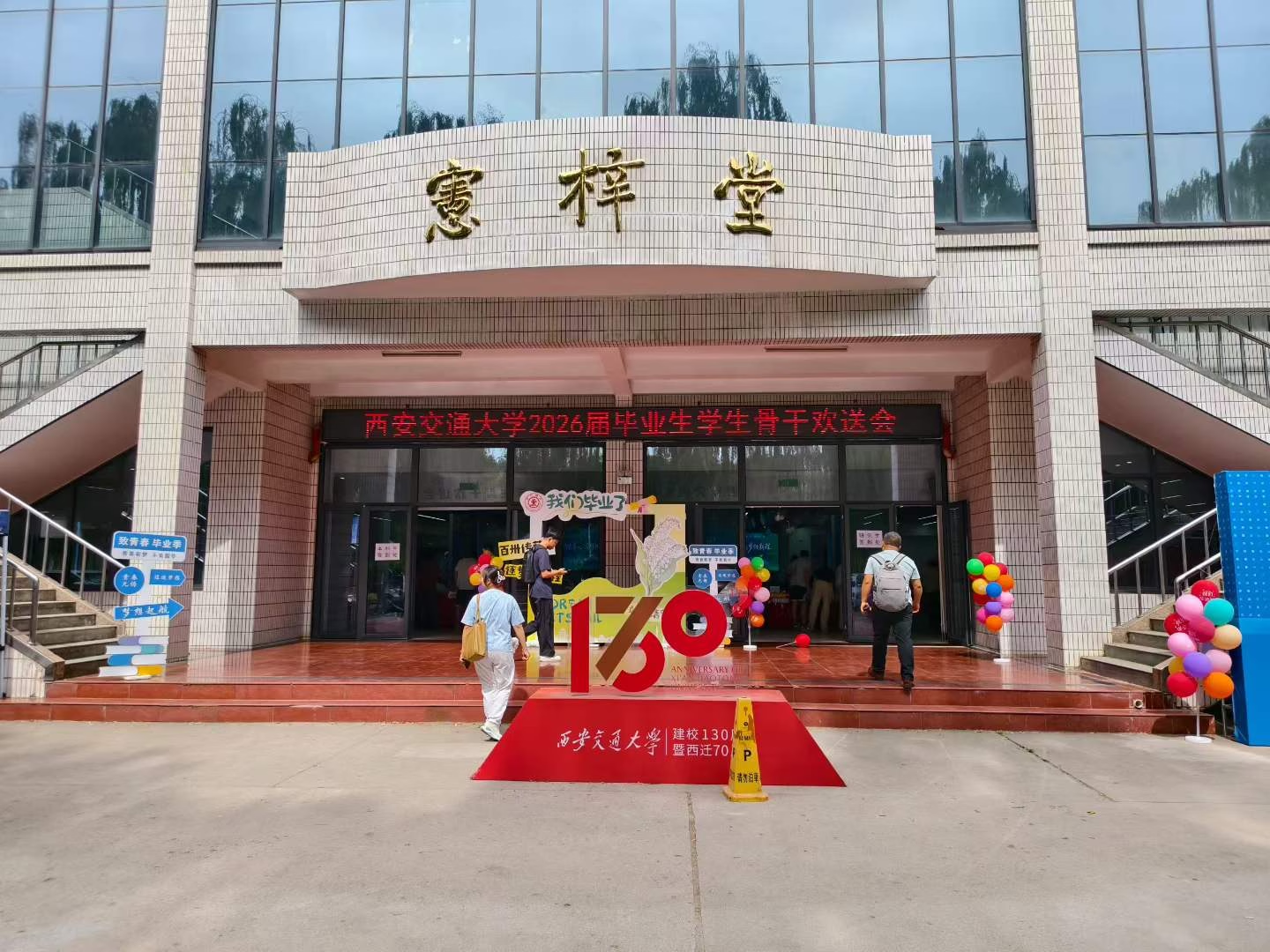
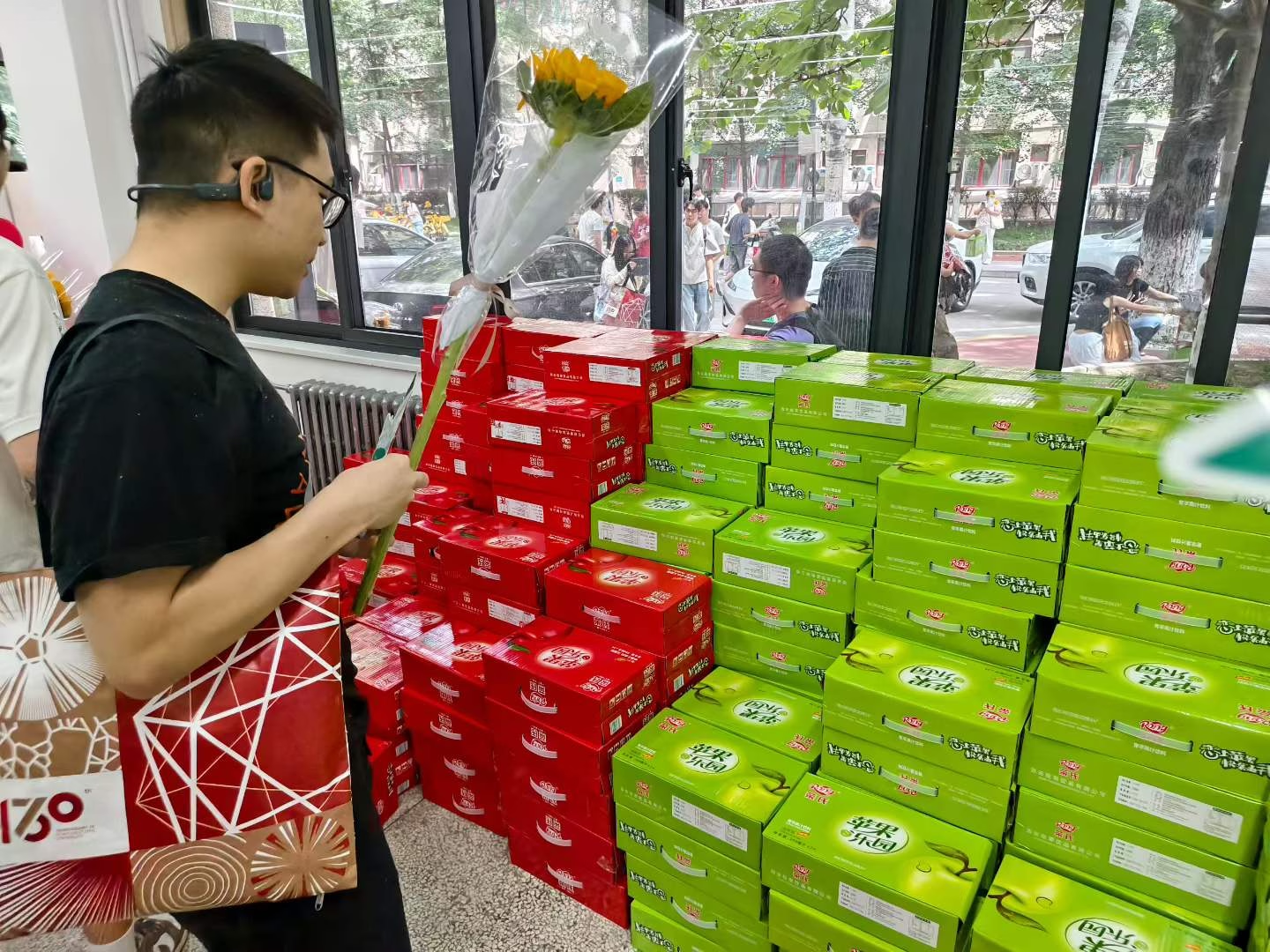
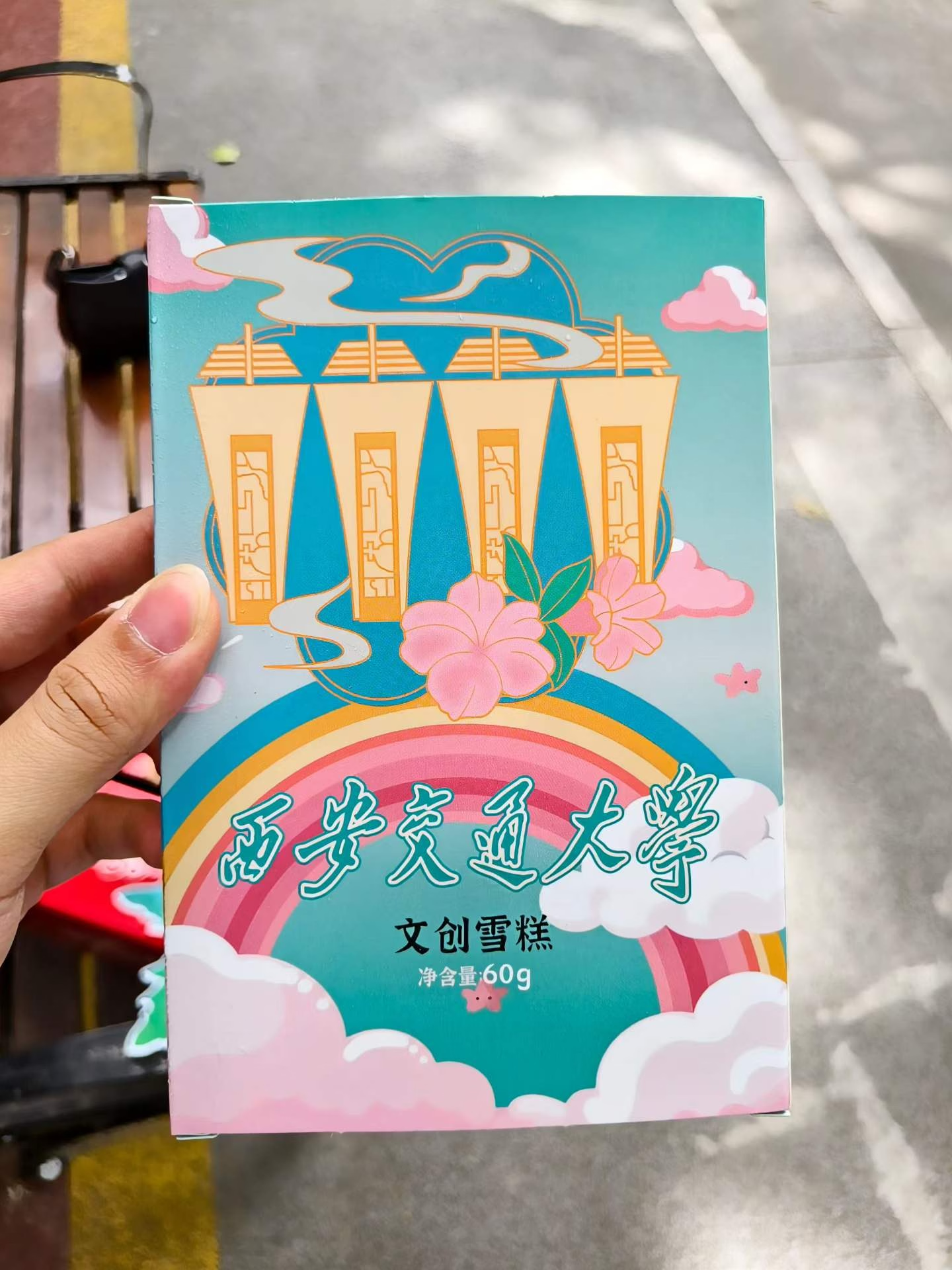
10:00-11:30。上午参加了毕业生骨干欢送会,在抽奖环节并未能中奖。😔不过拿到了每个人都有的小福利:文创手提袋(看起来质量一般,感觉容易坏)、文创雪糕(不好吃)、西交纪念币(夯)、一提饮料(NPC)。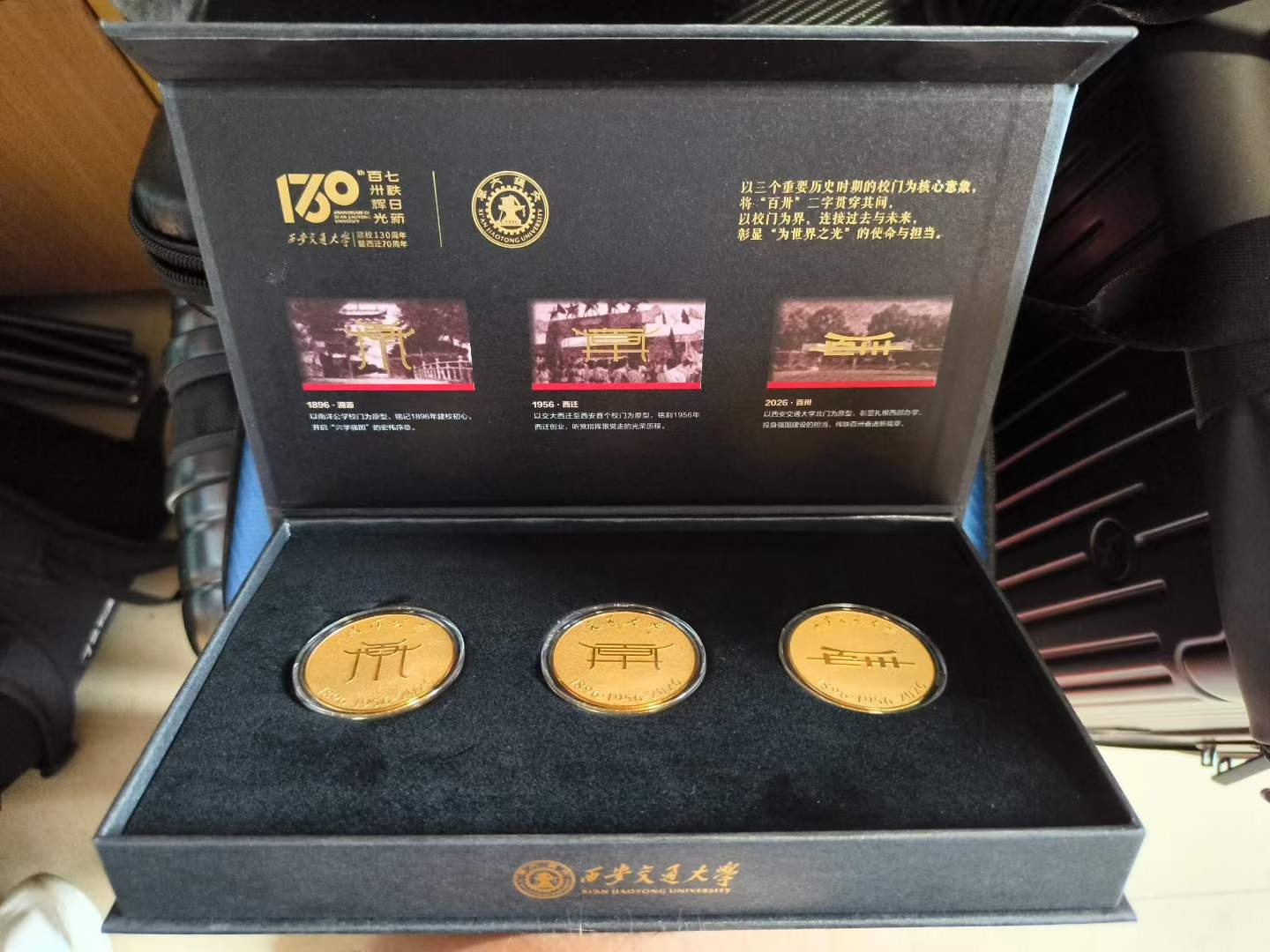

p8:励志书院一楼历年的奖杯🏆
p9:《狼与满身泥的上门之狼》《狼与香辛料的回忆》
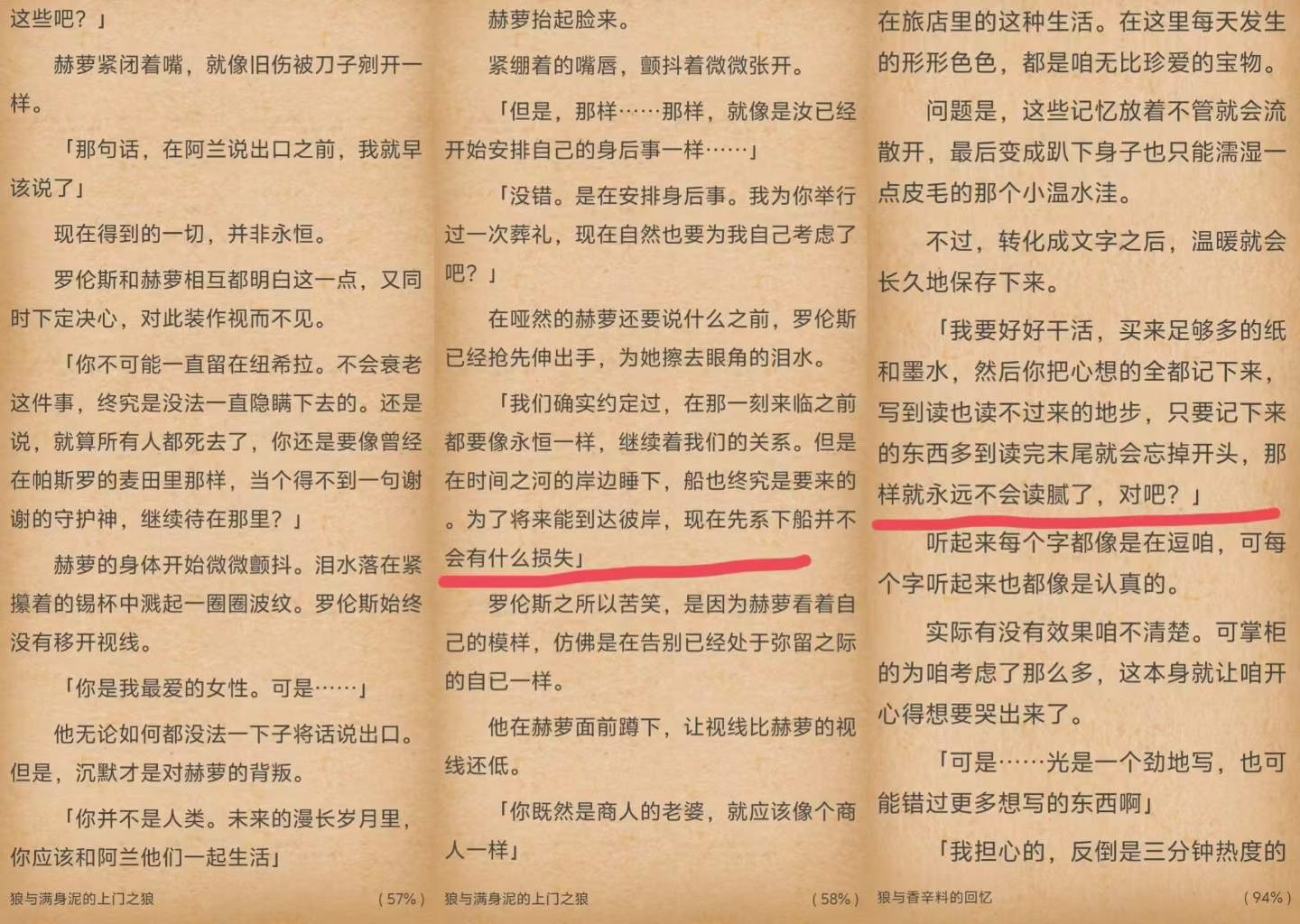
今天中午把《狼与香辛料》和《狼与羊皮纸》的所有章节全部看完了,本篇有些细节已记不清,已经达到了罗伦斯所说的『读完结尾就忘掉开头』的地步。(反转了,我GitHub和小红书头像真是赫萝🐺)我第一次看这部作品还是24年暑假。因为是中世纪题材,我很轻松就沉浸进去了——花了不到两周时间就速通了本篇的主要部分(太阳之金币)。大三上开学忙起来之后,我就没接着看后日谈与子世代了。直到大四下,我每天边吃边看都看一些,终于在今天看完了全部内容。
因为支仓冻砂基本每年还都在保持更新、而且本篇早已完结(后日谈都出好多部了),所以这次我意外地没啥失落感与空虚感。😇
公路片就这点好处,如果作者愿意,就可以一直把旅行商人和贤狼🐺的故事写下去。虽然一直有寿命论这把大刀悬在头上,但罗伦斯和赫萝在此前提下的互动反而更甜了。正是因为每个人都会在时间之河的某处睡下,所以有限的人生才会显得宝贵。从长生种的视角出发,一切事儿都会随着时间被抹平——都不算事儿。
这下更应该以好心情来度过每一天了。☺️
- 玉米🌽 Post #224
距离毕业11天(20260613)

(p1-p3)
10:00-15:30
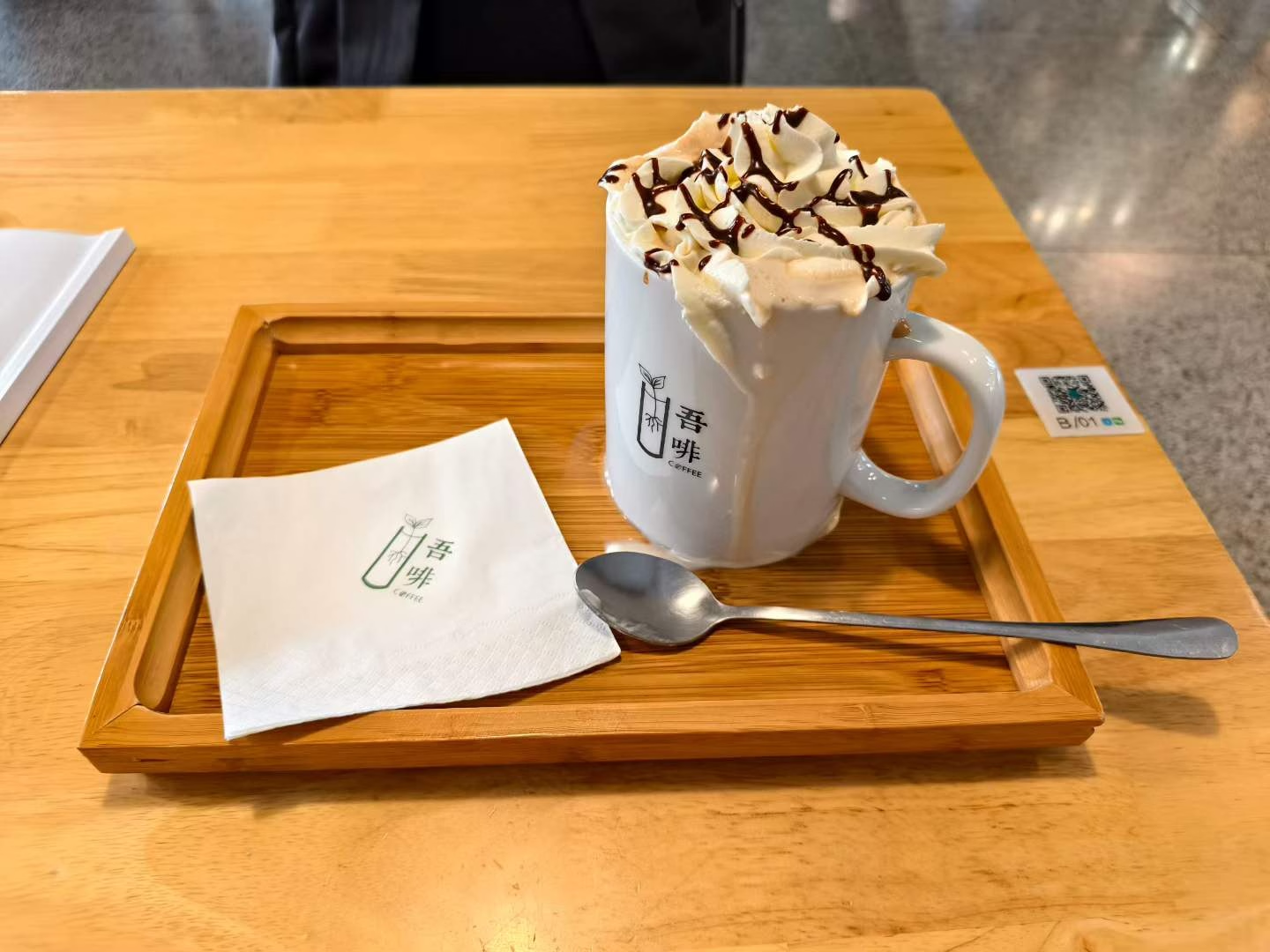
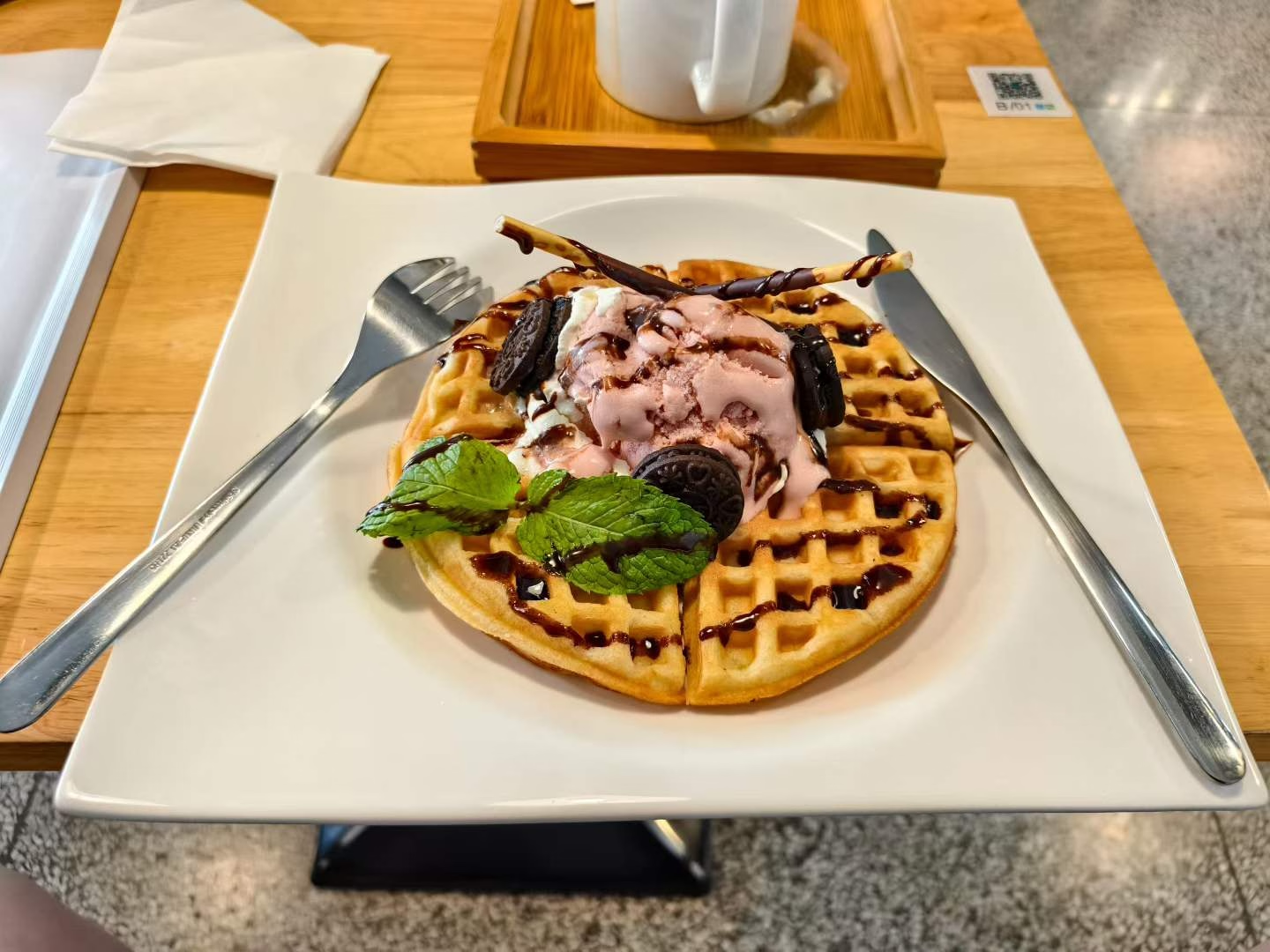
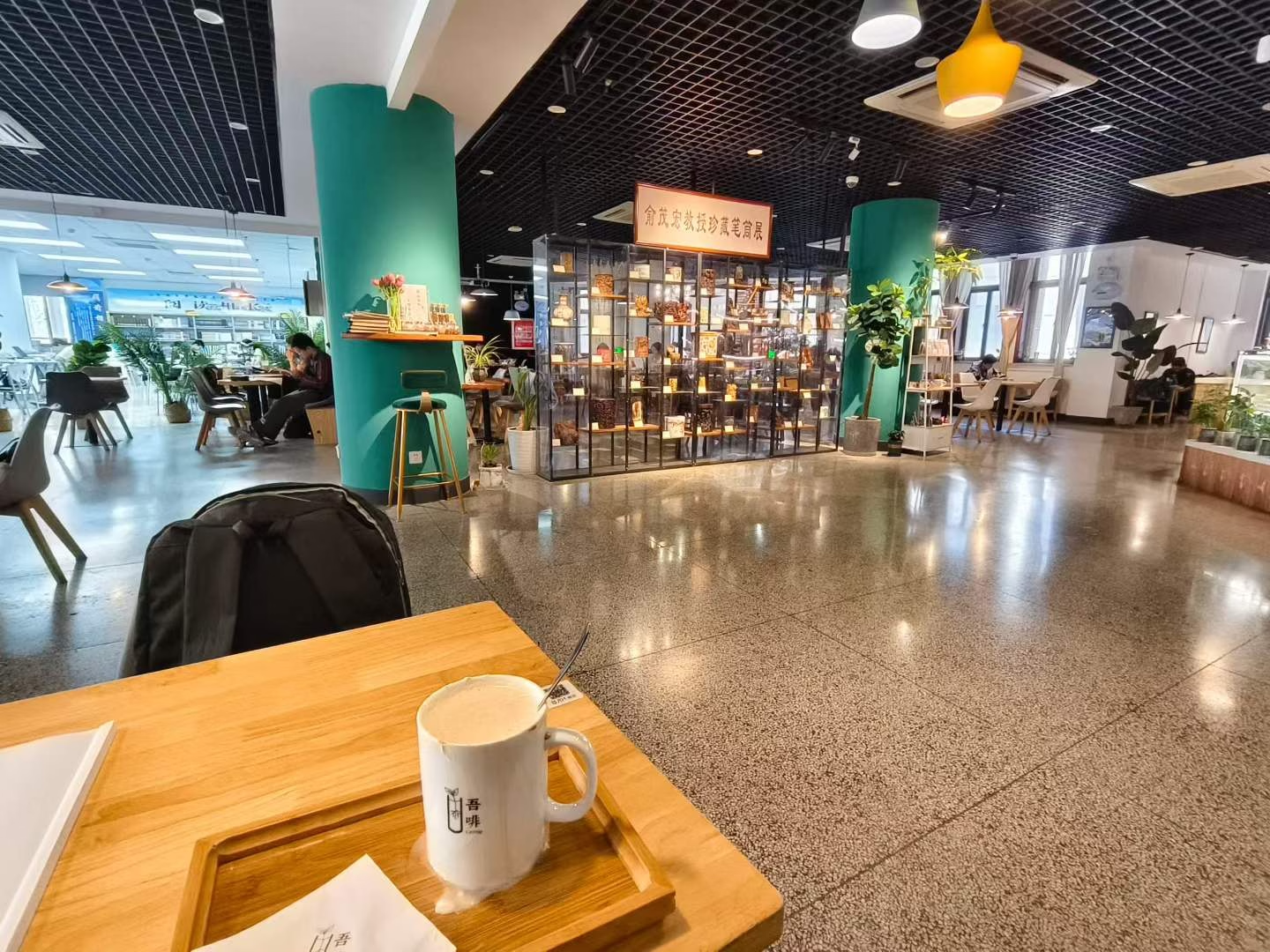
依旧备课。为了花完钱图咖啡厅里的钱,今天狂点松饼🥞冰激凌🍦➕大杯摩卡咖啡[咖啡]。另外,今天是我四年来第一次在咖啡厅里自习,以前都是打包带走。。。还是在现场吃有氛围。😚
(p4)
晚饭吃饺子🥟,平常我都配的辣椒油,今天配小香醋。
因为昨天的MRI诊断结果上说疑似存在颌下腺导管结石。在网上搜的缓解方法是吃点酸的,多分泌唾液可以冲出来。🥲 - 玉米🌽 Post #223
毕业倒计时12天(20260612)
最近张大嘴的时候,上下颌交界处一直莫名其妙地痛。担心拖下去会出现未知的后果,于是我上午就去校医看了一下。
刚开始我以为是内耳道出了问题,在前台挂完号直奔二楼耳鼻喉诊室。医生👩🏻⚕️听我说完症状,马上说,你这应该去口腔科,可能是上下颌关节问题。她说完还是给我看了一下耳朵,确实一切正常。
我再次挂号去口腔科,在等候期间看了会儿世界杯🏆韩国🇰🇷vs捷克🇨🇿,从0-0看到1-1,里面洗牙结束了。医生👨🏻⚕️简单检查了一下,说,怀疑是关节盘的问题。这个校医院看不了,需要去西交口腔医院🏥里面拍片子检查。他给我写了转诊单子,并推荐我去挂他导师的号。😂


(p1)
11:00。我简单在康三吃了口午饭(最健康的一集),回寝室休整一下,就出发进城。
12:20。终于到达北门地铁口🚇。从『交通大学兴庆宫』站坐6号线到『钟楼』,再转2号线向前坐1站至『北大街』下。
(p2、p5)
12:55。Lucky!地铁口一出门就是西交口腔医院!🏥 一进大厅,就看到了西交口腔医院奠基人——董淑芬医生的半身像,我不太认识她,可能西交医学的同学会比较熟悉。
我拿着小程序上挂号的科室地址找前台服务人员问路,然后得知这里是『一区』,我挂号的诊室在『二区』,大约要走10min。😭
(p3、p4)
13:05。顶着烈日,我前往二区。一路上遇见不少倒闭的店铺,一派萧条之感。😢
『二区』的二楼主做儿童矫正,诊区不用ABCDEF,而用大象🐘羊羊🐏熊猫🐼狮子🦁兔兔🐰鲸鱼🐳猴子🐵老虎🐯,可爱捏~🥰甚至二楼还有儿童娱乐区和扭蛋机。😆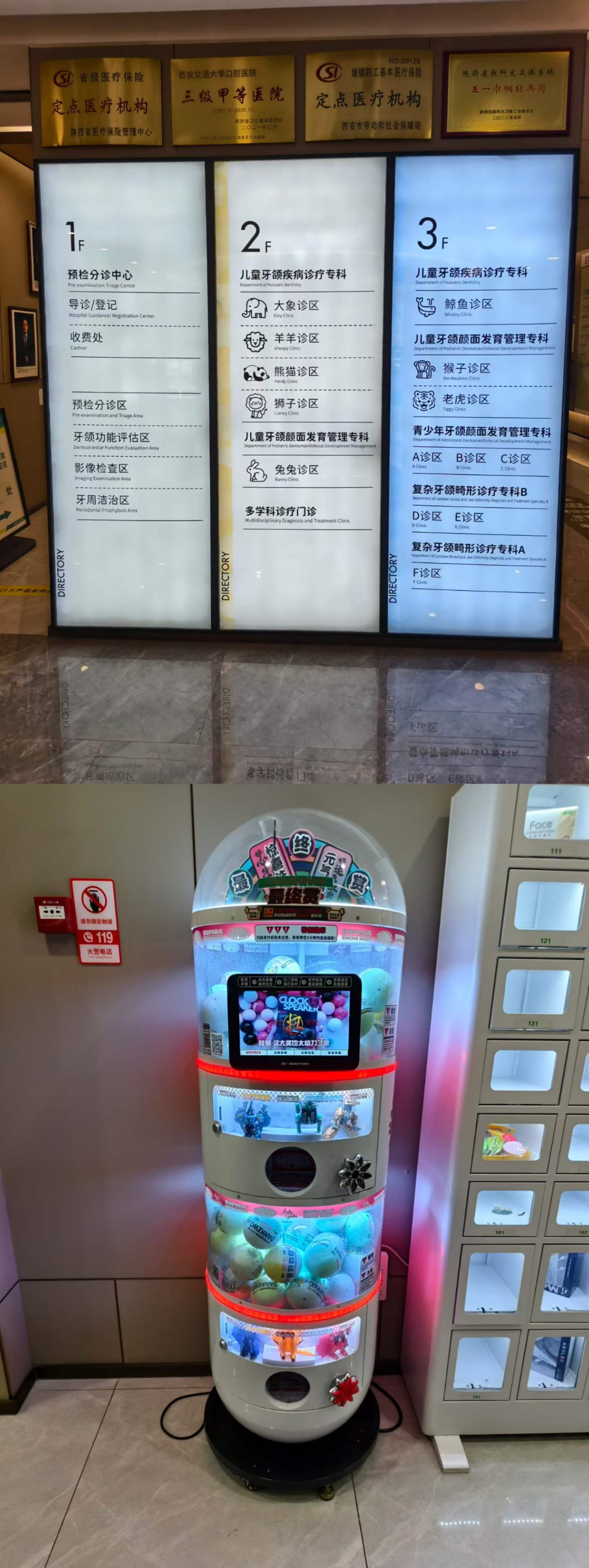


(p6)
13:55。👩🏻⚕️大夫初步检查之后,认为可能是关节盘错位或者骨头发炎,具体结论需要做CT和MRI确认一下,于是我再次返回『一区』。🤬🥵天气是真不错,但是实在太热了。
15:20。终于做完了这两项检查,再次回到『二区』,已然力竭。现在医院都采用线上直传片子结果,效率变高不少。坐在候诊区继续读《狼与香辛料》。🥰
16:10。终于排到我了。。。大夫👩🏻⚕️看完片子,判断为屁事没有,应该是肌肉拉伤,让我回去别大笑。。。静养即可,如果疼了可以考虑热敷。。。白跑一趟,但算是好结局吧。🤣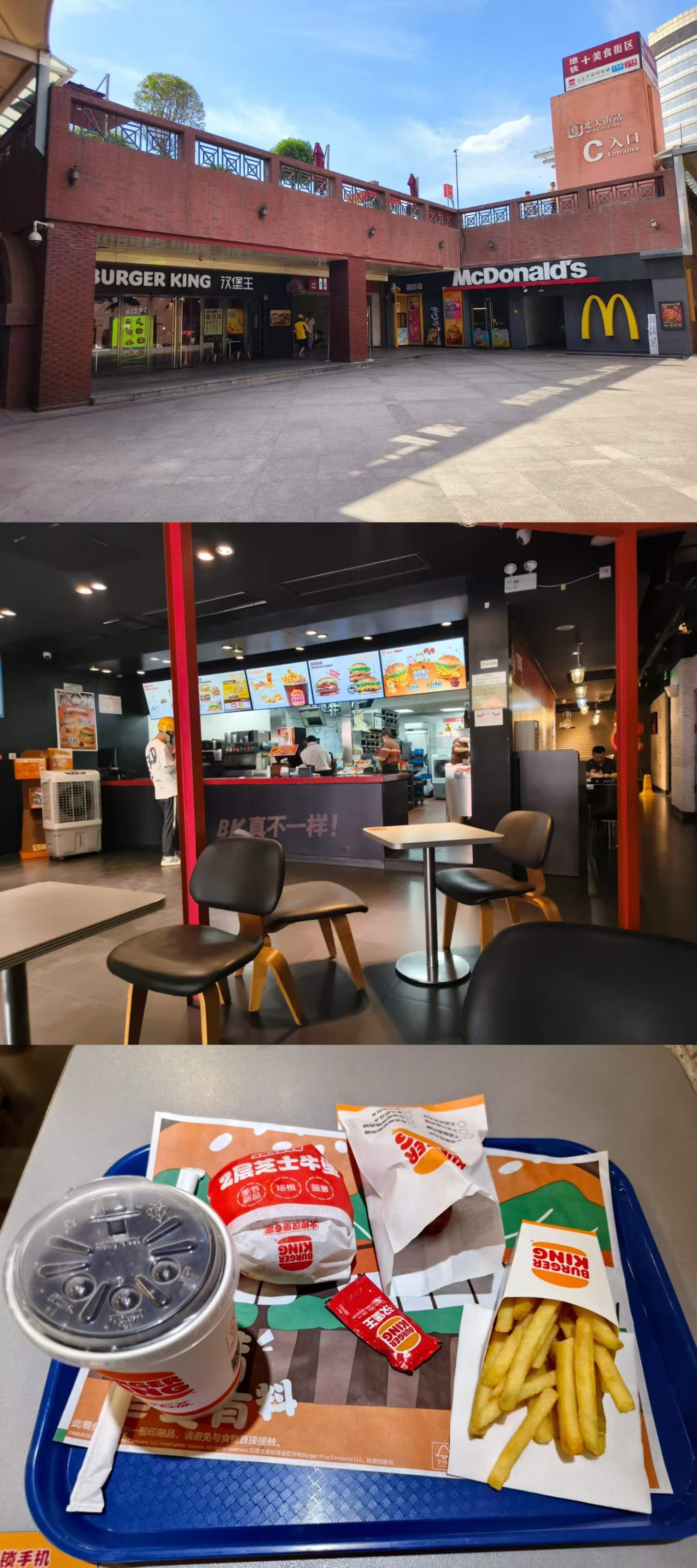

(p7)
16:30。准备回学校。地铁口边上就是汉堡王、麦当劳、德克士。这是我第一次吃汉堡王,这汉堡尺寸真是无敌了,我吃起来一点都不疼,可见是真小。🤣
(p8)
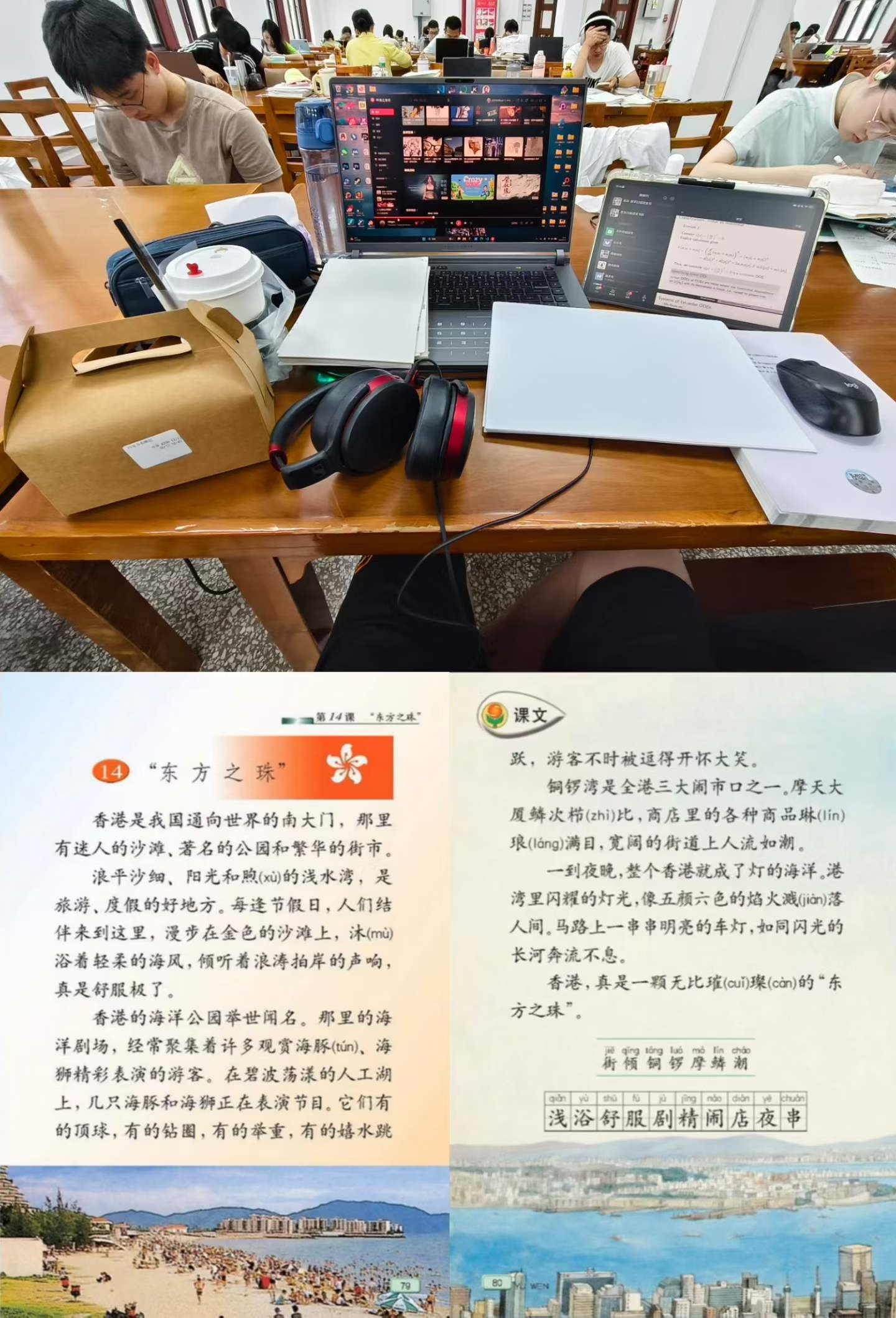
19:10。去钱图备课ODE。至少一个学期没去四楼自习过了,这感觉真是久违了。感受期末月氛围这一块。😎
晚上随机歌单随机到了《东方之珠》,突然感觉好好听啊。我第一次听这首歌还是小学三年级上学期。当时我用的是苏教版,印象里学这节的时候,老师给我们放了这首歌。鳞次栉比和琳琅满目这两个词让我记了很久。。。小学总觉得港澳是极其发达的地方,总想去看看,现在没这啥感觉了。
(p9)
23:30。钱图四楼。还有人在复习。 - 玉米🌽 Post #222
 hoist Post #12
令人感慨,我自己也要准备就业了。本科致谢写的近乎‘博爱’,现在感觉已经失去了那种胸襟。
我知道有人港硕毕业后华为-百度实习,第二年春招才进某AI公司,似乎也并非完全不行。(太细节的我不晓得)
如果是我这种保守人士是会接,但上海12k确实有点拮据了,在杭州或许还过的下去。 小木曽 雪菜 Post #2
买了spcx然后在15个交易日内卖出的将被禁止参与oai和anthropic IPO 👿
- 紫金港第一皮革<・)))><< Post #160
第一次看到了池鹭
其实也看到了夜鹭 但距离太远了拍不出来 还是夜鹭更加猥琐🤣
为什么无法发送图片😡 - 紫金港第一皮革<・)))><< Post #159
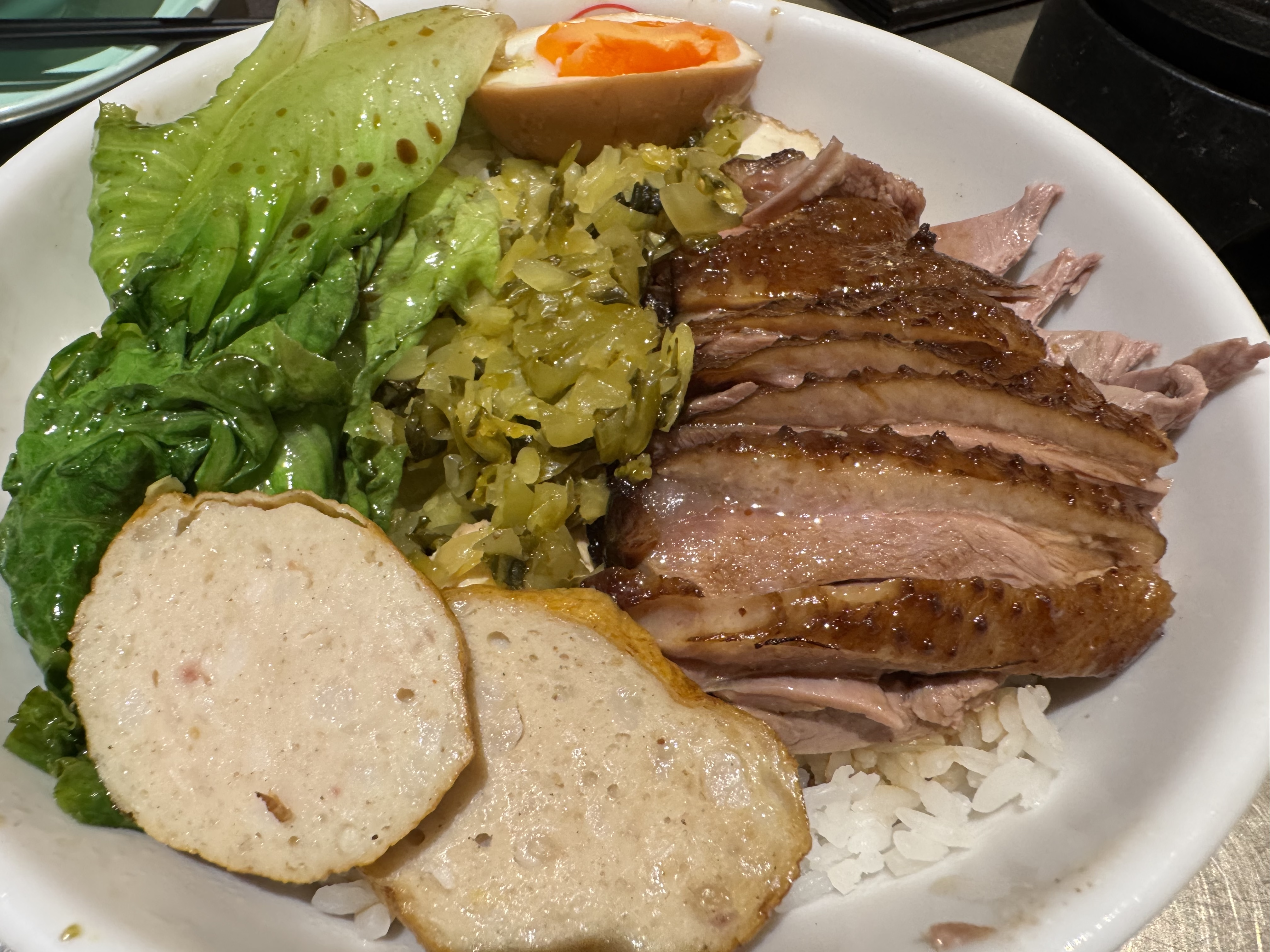
鹅肉饭好吃😋
最喜欢的鹅肉制品是扬州的盐水鹅和潮汕卤水鹅肉
 RaspberryPi Post #242
上海把子肉(可能是复旦枫林校区),18r:
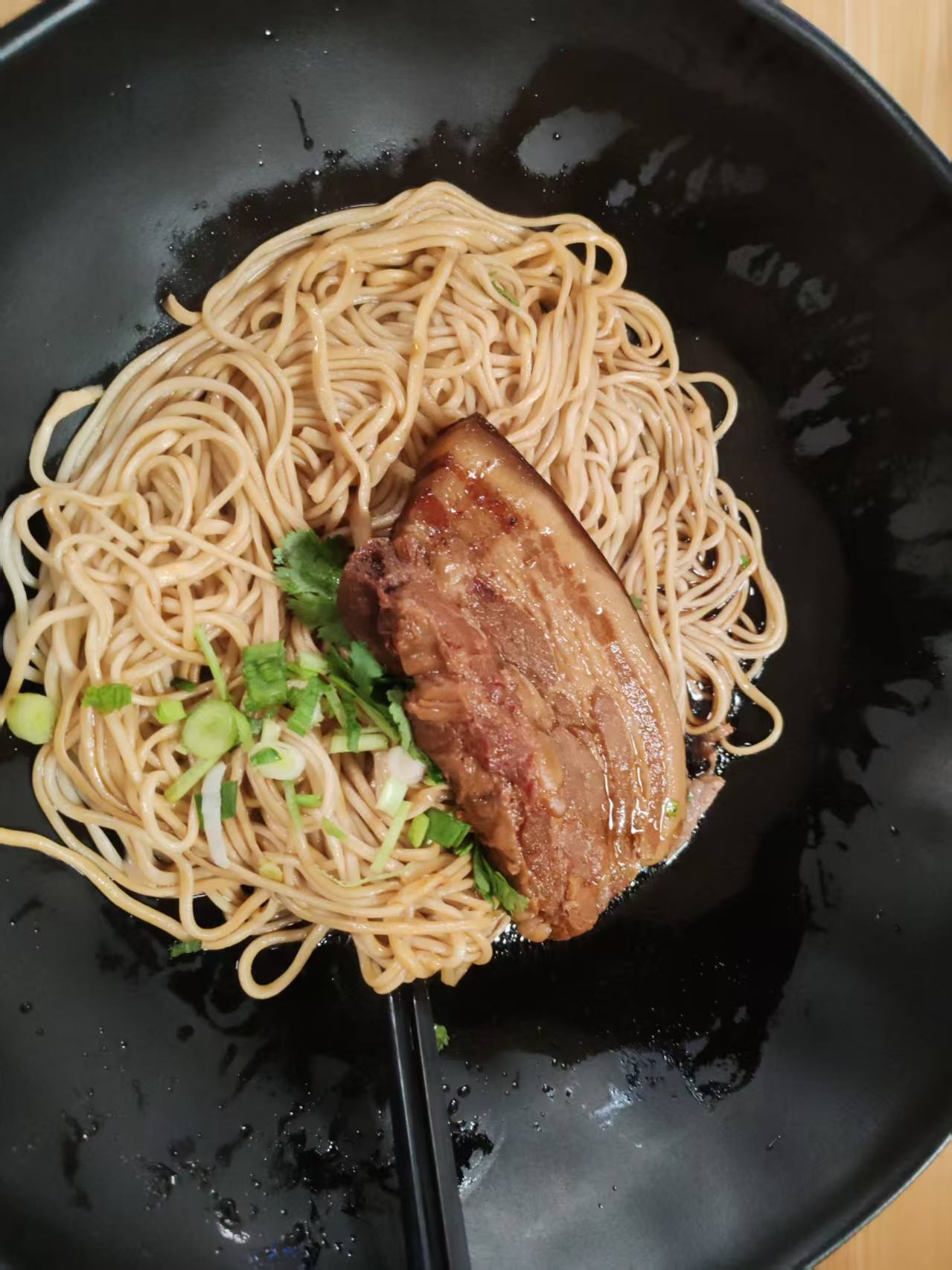
根据不靠谱的沪币换算汇率18/1.25 = 其他地区的14.4r
西交康桥苑一楼14r把子肉:
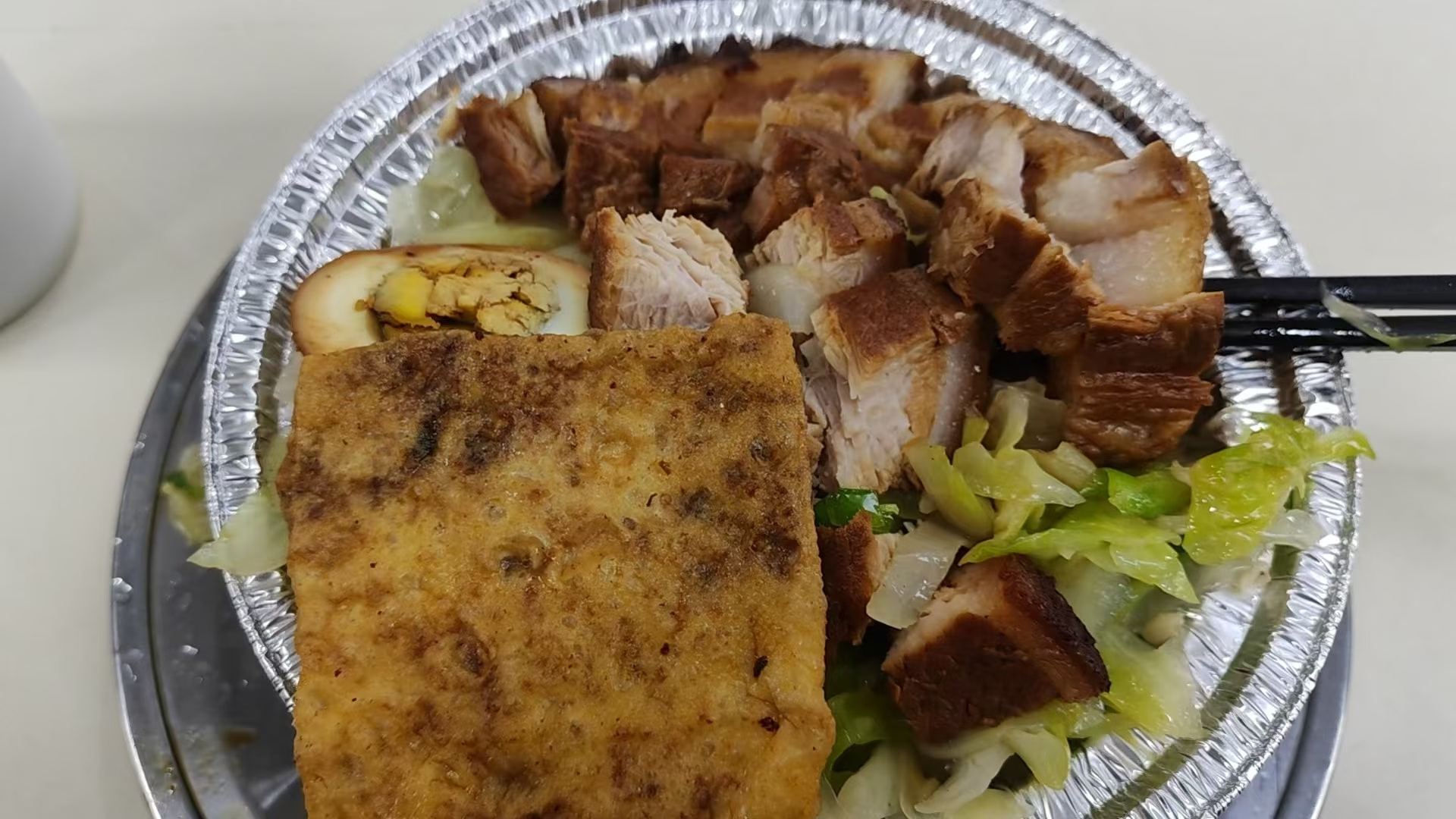
碳水这一块

- 玉米🌽 Post #216
毕业倒计时13天(20260611)
感谢颗粒肘学弟骑车请俺去吃寿喜锅,本大胃袋已爽吃。🥰
吃饭期间刚好躲过了突如其来的雨,回程路上得以欣赏西安的蓝调时刻。
p1-p3:去的路上




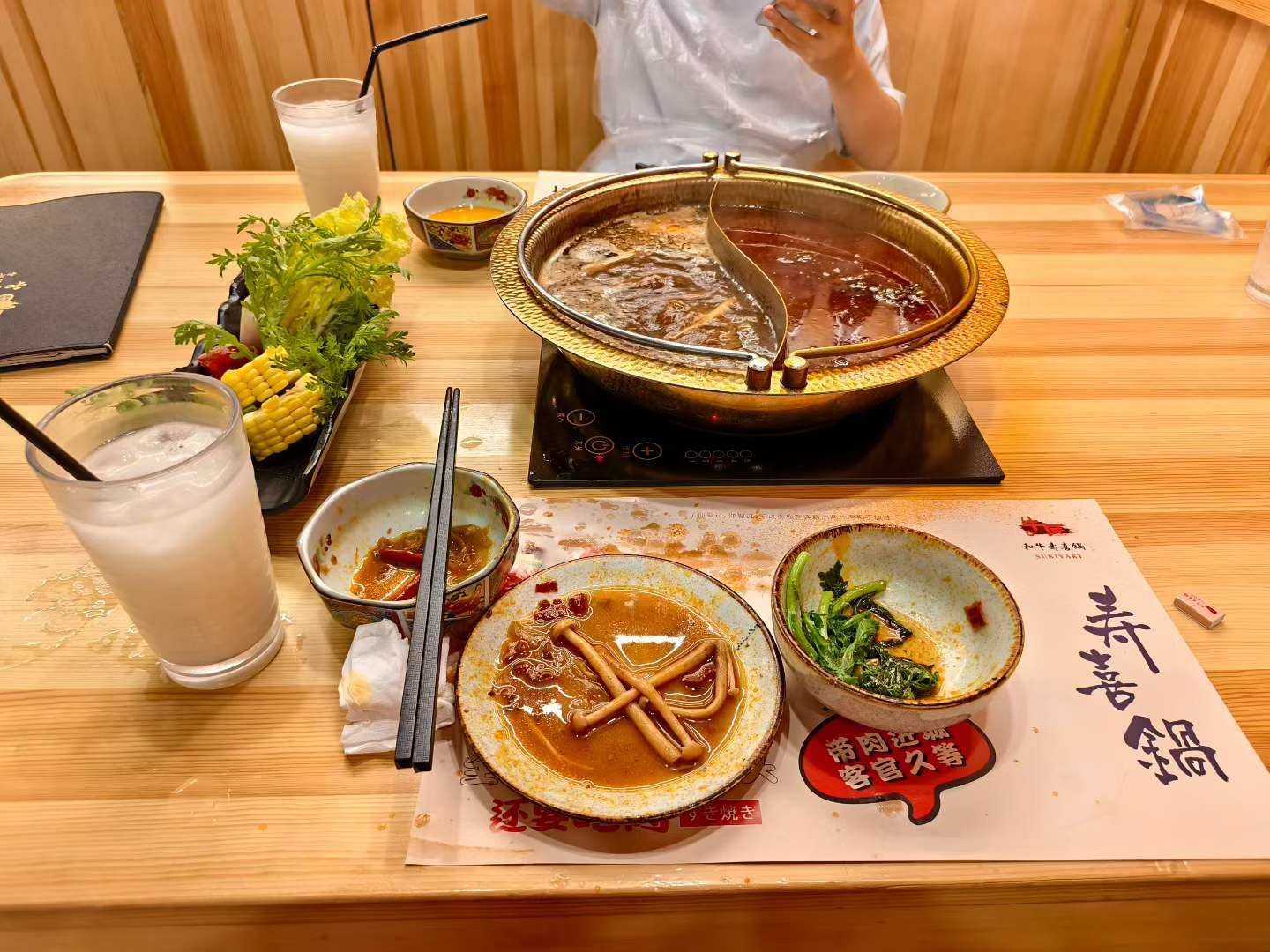

p5:牛匠寿喜锅
p4、p5-p9:回程路上。途中经过长乐门。


- 玉米🌽 Post #214
笑点解析:发完这句话之后就连不上了 🤣
- 无状态垃圾桶 Post #125
出口转内销了

- 玉米🌽 Post #123
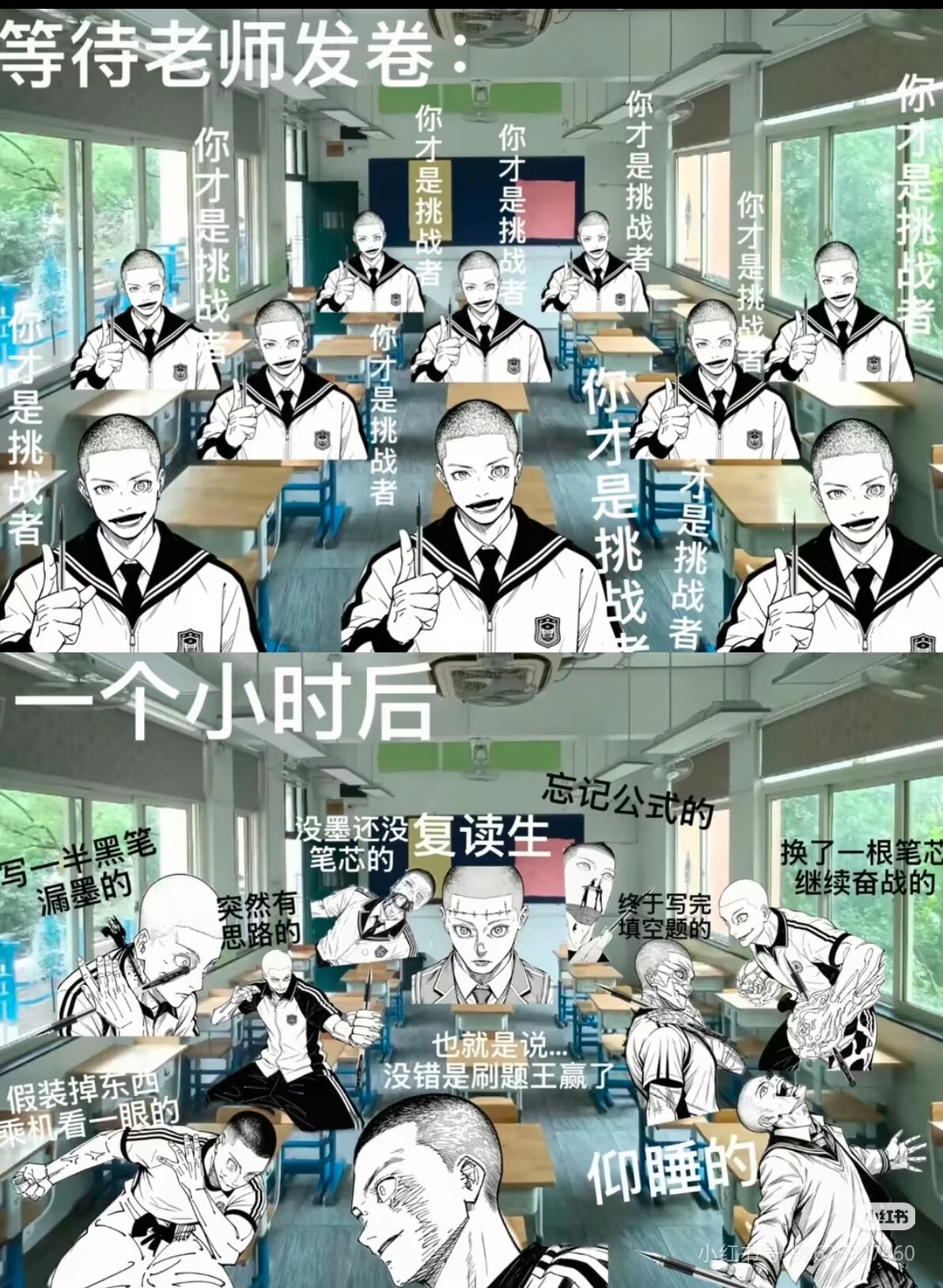
约一周前我就看见这幅图了,但当时登不上門,就没发。今天再见还是绷不住。🤣
- 无状态垃圾桶 Post #3
每过一两个月就觉得以前写的东西依托构使,恨不得狠狠 refactor 但是又没精力有没有懂的
- 小木曽 雪菜 Post #1
如题,基本发消息看到就会回,如果同时在线基本都是秒回,有时候晚回也会道歉。回的时候也不是敷衍挺热情的,有时也会主动延长话题。约出来线下在食堂很随意地吃过一次饭。这样到底有没有戏?
 主治医师李大华 Post #7
也许从某个时间节点开始,就注定了在这个游戏里我没法获得一个GOOD END。
我的确不够努力,学习的方法也全是错的,但也真的就差一点运气。唯一一个非常想去且技术面通过的公司,最终倒在了hr面,之后的春招就再没有其他声响。
